
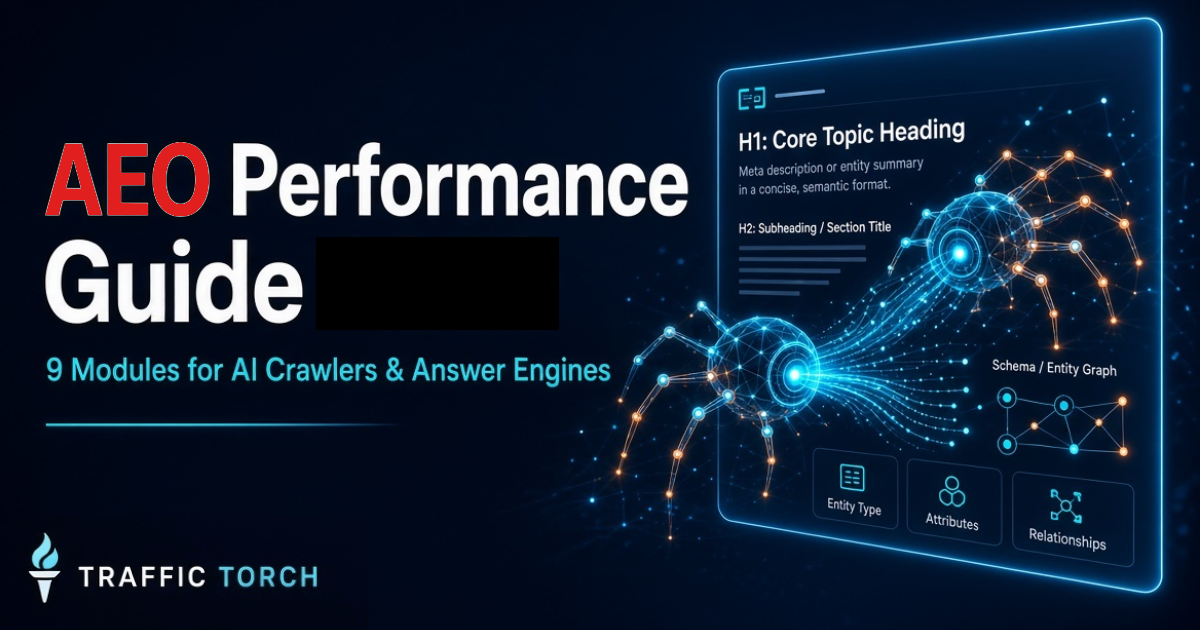
AEO Performance Help Guide 2026
The 9 technical modules that decide whether AI crawlers and answer engines can crawl, render, parse, and extract your content — and how Traffic Torch scores each one.
AEO performance is the technical foundation of AI search visibility. SEO still matters. But SEO alone does not guarantee that an AI crawler can reach your content, render it in a headless browser, parse your structured data, or extract clean text. If any of those steps fail, your page never enters the ranking or citation stage.
Traffic Torch's AEO Performance Tool audits 9 modules using a real Puppeteer headless render combined with static HTML analysis. This guide explains every module — what it measures, exactly how we test it, and why it matters for AI search.
- Render Fidelity — can headless browsers see your content?
- DOM Stability — does the DOM mutate heavily during load?
- Content Extractability — how clean is your semantic HTML?
- Schema Parse Performance — does your JSON-LD parse reliably?
- Crawler Accessibility — can AI crawlers reach your content?
- Text Density — how much real text is in your HTML?
- Semantic Structure — is your heading hierarchy predictable?
- Render Blocking — what's delaying DOM availability?
- Content Stability — is content stable after initial load?
Each module below includes a What, How, and Why section. The same structure powers the module explanation cards inside the AEO Performance Tool, so you can jump straight to any module for a deeper understanding.
Ready to see your AEO Performance score?
Get your instant 9-module AEO Performance report + priority fixes + CMS-specific guidance.
No login • No tracking • 100% client-side
Powered by Traffic Torch – optimized for AI crawlers, answer engines, and search.
Frequently Asked Questions – AEO Performance
What is AEO performance? ▼
AEO performance is how well a page can be crawled, rendered, parsed, and extracted by AI crawlers and answer engines. It covers 9 technical modules: Render Fidelity, DOM Stability, Content Extractability, Schema Parse Performance, Crawler Accessibility, Text Density, Semantic Structure, Render Blocking, and Content Stability.
How is AEO different from SEO? ▼
SEO focuses on ranking in traditional search results. AEO focuses on whether AI crawlers and answer engines can access, understand, and cite your content. SEO still matters — AEO is an additional layer that determines visibility in AI-powered search.
Why do AI crawlers need different optimization? ▼
AI crawlers are more fragile than Googlebot. They often rely on headless browsers, capture the DOM once, and struggle with late-injected content, cookie walls, infinite scroll, and JS-gated routes. What works for traditional SEO can fail for AEO.
What does Traffic Torch's AEO Performance Tool test? ▼
It tests 9 modules using a Puppeteer headless render via Cloudflare Browser Run plus static HTML analysis. It measures render fidelity, DOM mutations, semantic HTML ratio, schema parse success, robots.txt rules, text-to-code ratio, heading structure, render-blocking resources, and content stability.
Is there a free way to check AEO performance? ▼
Yes. Traffic Torch's AEO Performance Tool is free, client-side, and returns a full 9-module report with priority fixes and CMS-specific guidance.
Render Fidelity
What is it?
Render Fidelity measures how accurately your page renders in headless browsers — the environment most AI crawlers and answer engines use. If content appears correctly in a normal browser but not in a headless render, AI systems cannot see it.
Most modern AI crawlers (GPTBot, ClaudeBot, PerplexityBot, and internal pipelines at Google, OpenAI, Anthropic, and others) do not render pages the way humans do. They launch a headless browser, wait for the page to load, capture the DOM once, and extract content from that snapshot. Anything that appears after the capture window — hydration, delayed scripts, client-side data fetches — is invisible.
Render Fidelity specifically measures the gap between your raw HTML (what the server sends) and your rendered HTML (what a headless browser sees after JavaScript executes). A large gap means AI crawlers relying on raw HTML or early DOM snapshots will miss content. A small gap means content is stable and available regardless of the extraction method.
Common failure patterns:
- Primary content (H1, body copy, product details) rendered only via JavaScript.
- Hydration mismatches between server-rendered markup and client-rendered state.
- JavaScript errors during render that prevent content from appearing.
- Missing
<noscript>fallbacks for JS-gated content. - Framework-specific markers (
__NEXT_DATA__,__NUXT__,data-reactroot) that indicate heavy hydration.
How it's Tested?
Traffic Torch renders your page in a real headless Chrome instance via Cloudflare Browser Run, then compares the rendered output against the raw HTML fetched separately. The analysis runs on a per-word level to measure what content is JS-injected, what content is removed, and whether the page throws JavaScript errors during render.
Specifically, the tool performs these checks:
- Word-level diff: Extracts all words above 3 characters from both raw HTML and rendered HTML. Calculates the percentage of rendered words that do not exist in raw HTML (
injectedWordPct) and the percentage of raw words missing from rendered output (removedWordPct). - Console and page errors: Captures every error the page produces during the headless render via
page.on('console')andpage.on('pageerror'). - H1 presence check: Verifies whether the H1 heading exists in the raw HTML or only appears after JavaScript executes.
- Hydration marker detection: Scans for framework-specific hydration markers (Next.js, Nuxt, React, Vue, Svelte) that indicate client-side rendering.
<noscript>fallback: Checks whether a<noscript>block exists to serve content to non-JS crawlers.
Scoring:
- 95–100: content is mostly present in raw HTML, no JS errors, H1 is server-rendered.
- 75–94: minor injected content (<15% of words) with no serious errors.
- 50–74: significant injected content (15–30%) or several JS errors.
- Below 50: over 30% of rendered words are JS-injected or the H1 is missing from raw HTML.
Why it Matters?
AI crawlers do not wait for a full user experience. They capture the DOM once, usually between 2 and 10 seconds after load, and extract content from that snapshot. If your primary content is not present at that moment, it effectively does not exist for AI search.
This problem has become more serious as single-page applications and client-heavy frameworks have spread. A React site that hydrates on the client looks perfect in a browser but can return near-empty HTML to an AI crawler. Googlebot has years of rendering experience and handles this reasonably well. Most AI crawlers do not.
Pages with low Render Fidelity show up in analytics as having good traffic from traditional search but almost no citation in AI answers, even when the content is high quality. The cause is not content quality. It's that the AI crawler never saw the content in the first place.
Render Fidelity is the gatekeeping module. If it fails, every other AEO module is compromised because the AI crawler is working with incomplete input.
Ready to see how your page renders in a headless browser?
Check Render Fidelity on Traffic Torch →DOM Stability
What is it?
DOM Stability measures how much the Document Object Model changes during page load. A stable DOM means content appears once and stays put. An unstable DOM means nodes are added, removed, or replaced repeatedly after initial render — which can confuse AI crawlers that snapshot the DOM at a fixed moment.
When a page loads, the browser builds the DOM from HTML and then JavaScript mutates it. Some mutation is normal and healthy — for example, adding a cookie banner or populating a form. But heavy mutation during load indicates that large portions of the page are being built or rebuilt after the initial snapshot, which means AI crawlers capturing the DOM early will miss that content.
DOM instability also correlates with hydration mismatches, which occur when a server-rendered page doesn't match the client-rendered state and the framework replaces the DOM to reconcile them. From a crawler's perspective, this looks like content disappearing and reappearing.
Common causes of DOM instability:
- Framework hydration that replaces server-rendered markup.
document.write()calls that inject DOM during parse.- Shadow DOM components that hide content from the main tree.
- Third-party scripts that insert widgets, banners, or recommendations late.
- MutationObserver-driven logic that rewrites content based on user state.
How it's Tested?
Traffic Torch injects a MutationObserver into the page before any script runs, counts every DOM mutation during load, and combines that with static analysis of the HTML for mutation-heavy patterns.
- Live MutationObserver: Before navigation, the tool injects a MutationObserver that watches the entire document for childList, subtree, attributes, and characterData changes. It counts total mutations and total added/removed nodes during the load window.
- document.write detection: Static scan for
document.write()anddocument.writeln()calls, which block the parser and inject DOM unpredictably. - Shadow DOM detection: Static scan for
attachShadowandshadowrootmode=attributes that hide content inside shadow roots. - Framework detection: Checks for Next.js, Nuxt, React, Vue markers that indicate client-side hydration.
Scoring:
- 90–100: fewer than 10 live mutations, no document.write, no shadow DOM.
- 75–89: 10–50 mutations, minor instability from framework hydration.
- 50–74: 50–200 mutations or a small number of shadow roots.
- Below 50: over 200 mutations, document.write usage, or heavy shadow DOM.
Why it Matters?
AI scrapers capture the DOM once. If a crawler snapshots the DOM at t=3s and your page loads its main content at t=5s, the crawler sees an incomplete page. It will not retry. It will not wait longer. The content it missed is invisible in the AI index.
DOM instability creates a second problem: even when content is technically present, it may be found in a fragile state. If the crawler captures during hydration when the framework has removed server-rendered nodes but not yet inserted client-rendered nodes, it sees an empty gap where content should be.
Sites with heavy DOM mutation often perform well in traditional search because Googlebot has a sophisticated renderer that waits for stability. But most AI crawlers, especially newer ones and those from smaller companies, do not. The gap between Googlebot and AI crawler capability is exactly where DOM Stability matters most.
A stable DOM is not just good practice. It's the difference between your content being available or invisible to AI crawlers.
Content Extractability
What is it?
Content Extractability measures how easy it is for AI to pull clean, structured text from your HTML. It focuses on whether your markup uses semantic elements that communicate content roles, or whether your page is built from generic <div> wrappers that provide no semantic signal.
AI extraction engines do not look at how a page looks to a user. They look at the raw structure of the HTML and try to determine which parts are headings, which are paragraphs, which are lists, which are navigation, and which are noise. When everything is a div, the extractor has to guess — and it often guesses wrong.
Semantic HTML solves this by making content roles explicit. A <main> element tells the extractor where the primary content starts. An <article> tells it that content is self-contained. A <nav> tells it to skip navigation. A <footer> tells it where boilerplate begins.
Common causes of low extractability:
- Page builders and component frameworks that output only divs.
- Missing
<main>or<article>elements around primary content. - Content nested inside deeply wrapped divs without semantic wrappers.
- Headings marked up with styled divs instead of
<h1>–<h6>. - Lists rendered as rows of divs instead of
<ul>/<li>.
How it's Tested?
Traffic Torch analyses raw HTML (not the rendered DOM) to count semantic elements versus generic divs and calculates a semantic ratio, then applies targeted penalties for structural issues.
- Semantic ratio: Counts occurrences of
<article>,<section>,<header>,<main>,<nav>,<aside>,<footer>,<figure>, and<figcaption>. Divides by total block elements (divs + paragraphs + list items + semantic elements) to get the ratio. - Div count check: Flags pages with over 200 or 300 divs as div-soup candidates.
- H1 check: Confirms exactly one H1 exists.
- Paragraph check: Confirms at least 3 paragraph tags exist (preferably 10+).
- Large inline script check: Counts inline scripts over 500 characters (excluding JSON-LD), which can hide content from extractors.
Scoring:
- 20%+ semantic ratio: 100 points.
- 15–19%: 85 points.
- 10–14%: 70 points.
- 5–9%: 55 points.
- Below 5%: 35 points.
Why it Matters?
Extraction quality determines whether your content reaches the AI model as clean, structured information or as an ambiguous blob of text. Even when a crawler can access your page, poor extractability means the model has to work harder to understand what you said — and it often gets it wrong.
Semantic HTML has always mattered for accessibility and SEO. In the AI era it matters more because AI models do not have the fallback of visual layout. They cannot see that a bold large text at the top of the page is a heading. They cannot see that a row of items separated by borders is a table. They can only read the DOM, and semantic tags tell them what they are looking at.
Pages with high extractability tend to be the ones that get cited cleanly in AI summaries and answer engines, because the model can pull a specific paragraph or list knowing exactly what it is. Pages with low extractability are often ignored or paraphrased poorly, because the model cannot distinguish content from chrome.
Semantic HTML is not decoration. It is the interface between your content and every AI extractor that reads it.
Ready to see how extractable your content really is?
Check Content Extractability on Traffic Torch →Schema Parse Performance
What is it?
Schema Parse Performance measures how reliably your JSON-LD structured data can be parsed by AI crawlers and answer engines. Schema is a primary signal that tells AI systems what entities exist on your page and how they relate to each other.
Structured data in JSON-LD format provides explicit, machine-readable information about your content. It says "this page is an Article by this Person, published on this date, about these topics." AI engines use schema to build entity graphs, disambiguate content, and decide which pages to cite as authoritative sources for specific questions.
If your schema fails to parse — because of a syntax error, a missing @context, or nested objects that exceed parser limits — AI systems lose that signal. They fall back to inferring entities from text alone, which is less reliable and less likely to result in your content being cited.
Common schema problems:
- JSON syntax errors that break parsing entirely.
- Missing
@contextfields that make types unrecognizable. - Nesting depth so deep that parsers truncate or reject the block.
- No schema at all, forcing AI to infer everything from text.
- Only one schema type when the page has multiple entity types.
How it's Tested?
Traffic Torch extracts every <script type="application/ld+json"> block, attempts to parse each with JSON.parse, and analyses the resulting objects for type coverage and nesting depth.
- Block extraction: Regex scan for all JSON-LD script blocks.
- Parse validation: JSON.parse each block. Failures count as parse errors.
- Context check: Verifies each block has an
@contextfield. - Type extraction: Recursively extracts every
@typevalue, including nested objects and@grapharrays. - Nesting depth: Measures the maximum object depth in the parsed schema tree.
Scoring:
- 2+ schema types, no parse errors, depth ≤ 6: 100 points.
- 1 schema type, no errors: ~85 points.
- Parse errors: -15 to -30 points depending on count.
- No schema at all: 60 points maximum.
- Missing @context: -5 per block.
Why it Matters?
AI engines rely on structured data more heavily than traditional search does. Google has years of experience extracting information from unstructured HTML. Newer AI models often prefer to work with schema because it eliminates ambiguity.
When schema parses cleanly, AI systems know exactly what entities your page covers, which person or organization is responsible for the content, what the publication date is, and how different pieces of content relate. This information directly affects citation decisions. Pages with clean schema are more likely to be quoted because the model can trust that its understanding is accurate.
Schema errors do not just lose the schema benefit. They can actively hurt. A parser that encounters broken JSON-LD may log the page as low-quality or skip schema entirely, treating the page as if it had no structured data. The schema signal flips from positive to negative.
Clean schema is the fastest path to being understood by AI engines. Broken schema is worse than no schema at all.
Crawler Accessibility
What is it?
Crawler Accessibility measures how easily AI crawlers can reach and read your content without hitting barriers. It covers robots.txt rules, meta robots directives, JS-gated content, cookie walls, infinite scroll traps, and dynamic route hiding.
AI crawlers are less sophisticated than Googlebot and often have strict policies about what they will handle. When they encounter a barrier — a cookie wall that requires JavaScript, a route that only resolves client-side, or a robots.txt that disallows them — they do not push through. They stop. Your content never enters the index.
This module identifies the specific barriers that block AI crawlers, so you can remove them without breaking anything for real users.
Common accessibility issues:
- robots.txt rules that disallow AI crawlers by user agent.
- Meta robots directives that block indexing or following.
- Content that only appears after accepting a cookie wall.
- Infinite scroll pages without pagination fallback.
- Hash-based routing that hides routes from crawlers.
How it's Tested?
Traffic Torch fetches your robots.txt, checks meta robots directives, and scans the HTML for accessibility barriers like cookie walls, infinite scroll, and JS-gated content.
- robots.txt analysis: Fetches robots.txt and checks for disallow rules targeting AI crawlers: GPTBot, ChatGPT-User, ClaudeBot, Claude-Web, anthropic-ai, PerplexityBot, CCBot, Google-Extended, Bytespider.
- Meta robots check: Scans for meta robots tags that include noindex or nofollow.
- Cookie wall detection: Looks for common consent manager markers (OneTrust, CookieBot, Osano, CookieYes).
- Infinite scroll detection: Looks for scroll-based content loading patterns without visible pagination.
- JS-gated content detection: Checks for very low text in raw HTML without a
<noscript>fallback. - Hash routing detection: Checks for hashchange or location.hash usage.
Scoring:
- No blocking in robots.txt, no noindex, no cookie wall: 100 points.
- Missing robots.txt: -10 points.
- One AI crawler blocked: -12 points each.
- noindex directive: -40 points.
- Cookie wall detected: -5 points.
- Infinite scroll or hash routing: -10 points each.
Why it Matters?
Every AEO module depends on the crawler being able to reach your content in the first place. If a robots.txt rule blocks GPTBot or a cookie wall prevents content from rendering, no amount of semantic HTML or clean schema will help. The crawler never gets far enough to evaluate those signals.
Most sites accidentally block AI crawlers. Robots.txt files written in 2020 often include disallow rules for user agents that did not exist then. Meta robots directives copied from staging environments can still be live. Cookie walls that work fine for human users can be showstoppers for AI crawlers that do not execute JavaScript or store consent.
The upside is that these fixes are usually small. Removing a line from robots.txt, adjusting a meta tag, or adding a server-side bypass for known AI user agents can move Crawler Accessibility from failing to passing in minutes. It is often the highest-ROI fix in the entire audit.
Crawler Accessibility is the first gate. Every other optimization is wasted if the crawler is blocked before it arrives.
Ready to check what's blocking AI crawlers?
Check Crawler Accessibility on Traffic Torch →Text Density
What is it?
Text Density measures how much of your HTML is actual extractable text versus code, scripts, styles, and noise. It is one of the strongest signals of whether a page is content-rich or markup-heavy from an AI perspective.
AI models prefer pages with high text-to-code ratios because those pages return more value per byte crawled. If your HTML is 90% scripts, styles, and wrapper markup, and only 10% actual readable text, an AI crawler has to work harder to extract meaning. Over a large crawl, that cost adds up, and pages with low density get deprioritized.
Text Density has become more important as modern sites have become heavier. WordPress themes, page builders, and single-page applications have driven up the average HTML-to-text ratio dramatically. A modern blog page might be 300KB of HTML for 20KB of actual text, which is a density of less than 7%.
What drags density down:
- Inline scripts and styles that inflate HTML size.
- Wrapper divs with no semantic or content purpose.
- Third-party scripts that inject large JS blobs.
- Ad slots and sponsor containers that add markup without content.
- Tracking pixels and analytics code.
How it's Tested?
Traffic Torch calculates text-to-code ratio by stripping tags, scripts, and styles from the raw HTML and comparing the resulting text length to the total HTML size. It also counts ad/sponsor/promo markers that add markup without content.
- Text extraction: Removes script, style, noscript, and comment blocks, then strips remaining tags to get raw text length.
- Text-to-code ratio: Text length divided by total HTML length.
- Text-to-scripts and text-to-styles: Ratio of text length to script and style content length.
- Ad marker count: Counts elements with classes matching ad, adverts, sponsor, promo, banner-ad, sidebar-widget (with word boundaries to avoid false matches).
- Absolute text floor: Flags pages with fewer than 800 or 300 characters of visible text.
Scoring:
- 30%+ text-to-code: 100 points.
- 22–29%: 90 points.
- 15–21%: 75 points.
- 10–14%: 60 points.
- 5–9%: 40 points.
- Below 5%: 20 points.
Why it Matters?
AI engines weigh signal-to-noise ratio heavily. A page that returns 20KB of readable content from a 100KB fetch is more valuable than a page that returns 2KB from the same fetch. When crawlers are budget-constrained — which most AI crawlers are — they prioritize pages that deliver more content per request.
Low text density also correlates with other problems. Pages bloated with scripts and markup often have worse render fidelity, more DOM instability, and slower FCP. Fixing text density usually improves several modules at once.
The most common cause of low density is not malicious. It's years of accumulated plugins, page builders, and third-party scripts that each add their own markup. Sites that have never had a performance cleanup can be at 5–8% density without anyone realizing it.
High text density is the clearest signal that your page is worth crawling. Low density says the opposite, even when your content is excellent.
Semantic Structure
What is it?
Semantic Structure measures how predictably your content maps to the patterns AI answer engines expect. It focuses on heading hierarchy, paragraph segmentation, list clarity, and table readability.
Answer engines build responses by extracting specific pieces of content: a heading followed by a definition, a list of steps, a comparison table, a Q&A pair. When your structure matches those patterns, extraction is trivial. When it doesn't, the engine has to reconstruct structure from visual layout, which is unreliable.
Good semantic structure is not just about tags. It's about whether your content reads like the answer to a question. Headings should be questions or clear topics. Paragraphs should be short enough to be quoted. Lists should be scannable. Tables should have proper headers.
Common structure problems:
- Multiple H1s on a page, diluting the primary topic signal.
- Heading order violations — jumping from H1 to H4 without H2 or H3.
- Paragraphs over 120 words, too long for clean AI extraction.
- Tables without proper
<th>header cells. - Missing lists where enumerations would help extraction.
How it's Tested?
Traffic Torch parses every heading, paragraph, list, and table in the rendered HTML and scores the page on how well its structure matches AI-extraction patterns.
- Heading extraction: Regex scan for all H1–H6 tags and their text content.
- H1 count check: Flags pages with zero or multiple H1s.
- Heading order check: Detects level-skip violations (e.g., H1 followed directly by H3).
- List detection: Counts ordered and unordered lists.
- Table detection: Counts tables and checks for presence of
<th>headers. - Paragraph length: Calculates average words per paragraph from all paragraphs over 20 characters.
Scoring:
- Exactly one H1, valid order, at least one list: 90–100 points.
- Heading order violation: -5 per violation (capped at -15).
- Multiple H1s: -10.
- No H1: -15.
- Paragraphs over 120 words: -8.
- Tables without
<th>: -10.
Why it Matters?
AI answer engines rely on structure to identify what is an answer and what is context. When your heading hierarchy is clear, the engine can pull a section as a self-contained response. When your paragraphs are short, the engine can quote one directly. When your lists and tables are properly structured, the engine can reuse them as-is.
Semantic structure also affects how your page is surfaced in rich results, featured snippets, and AI Overviews. Google's systems have consistently rewarded pages that match the pattern of the answer to a given query. That has not changed in the AI era — it has intensified.
Pages with weak structure tend to get summarized rather than quoted. The AI engine reads the page, understands it well enough to paraphrase, but cannot find a clean quote to use. That paraphrase may or may not include your site as a source. If it does, the citation is less valuable because there is no direct quote.
Predictable structure is what turns your content from something an AI can read into something an AI can quote.
Ready to check your heading hierarchy and structure?
Check Semantic Structure on Traffic Torch →Render Blocking
What is it?
Render Blocking measures what delays your DOM from becoming available to AI extractors. Unlike PageSpeed's render-blocking concept, which focuses on user experience, this module focuses on how long it takes before content can be reliably captured by a crawler.
Traditional page speed metrics care about when the user sees content. AEO cares about when a headless browser or a static fetcher can extract content. Those are related but different problems. A page can load slowly for a user but be extractable immediately if content is in the initial HTML. It can load fast for a user but be unextractable for 10 seconds if content is behind JS.
The main AEO-specific blockers are:
- Synchronous scripts in
<head>that delay parsing. - Too many stylesheets that block text rendering.
- Web fonts without
font-display: swapthat cause invisible text. - Third-party scripts that block the main thread.
- Large inline scripts that inflate initial HTML size.
How it's Tested?
Traffic Torch analyses head scripts, stylesheets, font loading, and third-party resources, then combines that with live browser metrics for FCP, TTFB, and render-blocking resource count.
- Head script scan: Counts
<script>tags in<head>that lack defer, async, or type="module". - Stylesheet count: Counts
<link rel="stylesheet">tags. - Font-display check: Scans for @font-face rules with or without font-display: swap.
- Live FCP measurement: Uses Puppeteer's PerformanceObserver to capture real First Contentful Paint.
- Live TTFB: Captures navigation.responseStart from the browser's performance API.
- Render-blocking resource list: Enumerates resources with renderBlockingStatus === 'blocking'.
- Third-party script domain count: Counts unique domains in external script sources.
Scoring:
- No blocking head scripts, FCP under 1800ms, TTFB under 800ms: 90–100 points.
- Blocking head scripts: -8 per script (capped at -30).
- FCP over 3000ms: -15.
- TTFB over 1800ms: -20.
- Fonts without font-display: -10.
- More than 5 third-party script domains: up to -20.
Why it Matters?
AI crawlers do not wait indefinitely. Most give a page between 5 and 15 seconds to produce content. If your DOM is not available by then, the crawler captures an incomplete page or gives up.
Render-blocking scripts are the primary cause of slow DOM availability. A single synchronous script in <head> can delay parsing by several seconds. Several of them can delay it by 10 seconds or more. For a user, that feels like a slow page. For an AI crawler, it means the content window has closed.
FCP and TTFB matter for the same reason. FCP tells us when content first appears visually — for a crawler, that is close to when content appears in the DOM. TTFB tells us when the server starts responding — a slow TTFB pushes everything downstream, including the crawler's budget.
Most of these fixes are well understood: defer or async scripts, inline critical CSS, use font-display: swap, and reduce third-party scripts. The difference in the AEO context is prioritization. You are not optimizing for user-perceived speed, you are optimizing for extractability window.
If your DOM is not available within 5 seconds, most AI crawlers have already moved on. Render blocking is the countdown clock.
Content Stability
What is it?
Content Stability measures whether your content stays consistent after the initial load or keeps changing. It covers late content injection, dynamic content replacement, hydration flicker, and SPA route changes.
AI crawlers capture content once. If your content is stable at the moment of capture, it works. If it is still in flux — being replaced by hydration, waiting for an API response, or shifting due to layout changes — the crawler captures an unstable snapshot. Sometimes it captures the right content, sometimes the wrong content, and sometimes nothing at all.
Content Stability is essentially a measurements layer for the worst-case scenario: what does the page look like when the crawler arrives at a random moment during load?
Common stability problems:
- Client-side routing that changes content without a page reload.
- Content fetched by
fetch()or XHR after initial render. innerHTMLassignments that replace content dynamically.- Hydration mismatches where the client replaces server markup.
- Service workers that intercept requests and change what is served.
How it's Tested?
Traffic Torch combines live browser metrics (CLS, LCP, long tasks) with static HTML analysis of routing, fetch, and content replacement patterns.
- CLS (Cumulative Layout Shift): Captured live via PerformanceObserver on layout-shift entries, filtered for recent input.
- LCP (Largest Contentful Paint): Captured via PerformanceObserver on largest-contentful-paint entries.
- Long tasks: Counted via PerformanceObserver on longtask entries.
- Framework detection: Checks for Next.js, Nuxt, React markers indicating client-side rendering.
- Client-side routing detection: Scans for history.pushState and replaceState usage.
- Async fetch pattern detection: Counts fetch(), axios, and XHR calls in the HTML.
- innerHTML assignment detection: Counts direct innerHTML writes, which often replace content.
Scoring:
- CLS under 0.05, LCP under 2500ms, no heavy async fetch pattern: 90–100 points.
- CLS 0.05–0.10: -8.
- CLS 0.10–0.25: -18.
- CLS over 0.25: -30.
- LCP over 2500ms: -10 to -20.
- Over 8 async fetch calls: up to -20.
Why it Matters?
Content Stability is the difference between a crawler reliably seeing your content and a crawler sometimes seeing it. Inconsistent visibility is worse than no visibility, because it makes your page a coin flip in AI rankings. Some crawls get the full content, others get a partial version, and the model cannot build a stable representation of what your page is about.
Client-side routing is the biggest source of instability. SPAs that change content via history.pushState without a full reload can appear to have different content depending on when the crawler arrives. If the crawler captures during a route transition, it might capture the previous route's content, the loading state, or an empty page.
Hydration flicker is a subtler problem. During hydration, the framework discards server-rendered markup and rebuilds it from client state. If the crawler captures during this window, it sees a partially hydrated DOM that may not match either the server output or the final client output.
Stable content is invisible work. If you do it right, no one notices. If you do it wrong, AI crawlers see chaos where your users see a polished page.
Ready to see how stable your content really is?
Check Content Stability on Traffic Torch →Conclusion & Next Steps – Master AEO Performance in 2026
The 9 modules covered in this guide — Render Fidelity, DOM Stability, Content Extractability, Schema Parse Performance, Crawler Accessibility, Text Density, Semantic Structure, Render Blocking, and Content Stability — form the complete framework Traffic Torch uses to evaluate AEO and GEO performance.
SEO still matters. Ranking in traditional search results is still the foundation of organic visibility. But ranking is not enough anymore. In 2026, visibility is decided at the technical layer: whether AI crawlers can reach your content, render it correctly, parse your structured data, extract clean text, and trust that content to be stable across captures.
Most of these modules correlate. Fixing render blocking improves Render Fidelity. Reducing DOM mutations improves Content Stability. Adding semantic HTML improves Content Extractability and Semantic Structure. The highest-ROI improvements tend to lift several modules at once, and a focused pass over these 9 areas can move an overall score by 20–30 points.
The AEO Performance Tool gives you the diagnostic. What you do next is a matter of prioritization: start with the lowest-scoring module, apply the recommended fix, re-audit, and watch the score move. The tool also provides CMS-specific and file-level fix instructions through the AI guidance workers, so the fix is never "figure out what to change" — it's "here is exactly what to change and where."
The sites that win AI search will not be the ones with the most content. They will be the ones whose content can actually be crawled, rendered, parsed, and extracted by every AI system that matters.
Ready to run your full AEO Performance audit?
Get your instant 9-module score + priority fixes + CMS-specific guidance. No login. No tracking. 100% client-side.
Start Free AEO Performance Audit Now →Updated September 2026 – based on ongoing correlation research, headless render testing, and real-time analysis across major AI crawlers and answer engines.