
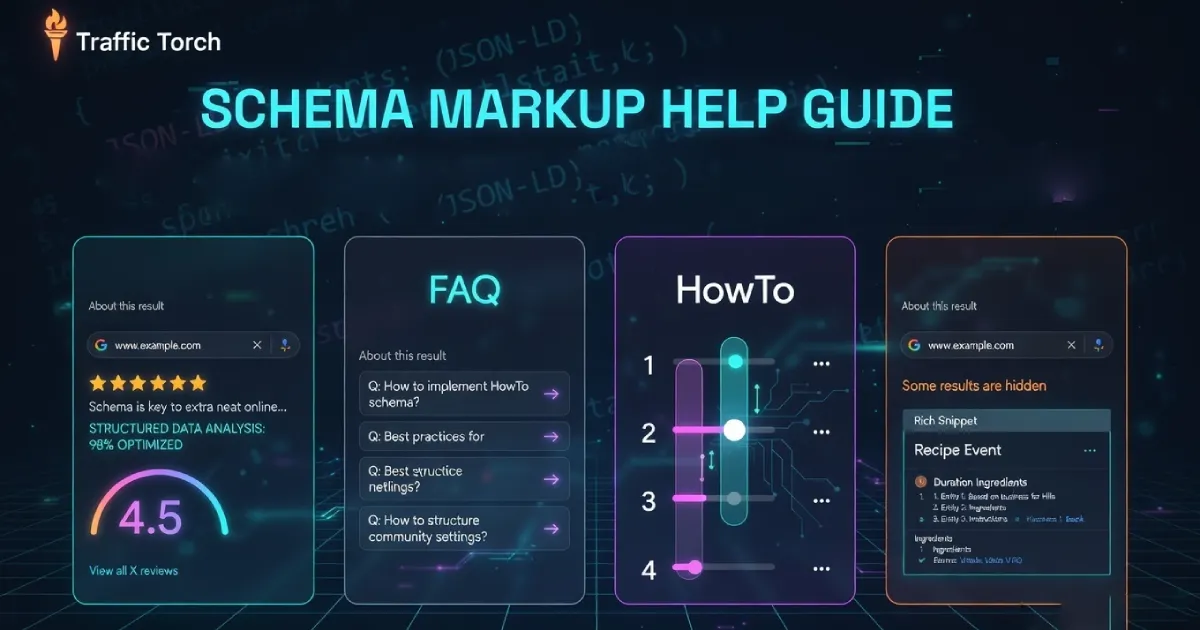
Schema Markup Help Guide
What each schema type is, when to use it, and why it matters for rich results, higher CTR, and better traffic in 2026. From core types like Organization & Article to advanced ones like JobPosting, Course, FactCheck & more.
Implementing the right schema can boost click-through rates by 20–30% and unlock eye-catching rich snippets = start mastering it today.
Ready to Add Schema Markup?
Generate clean JSON-LD code instantly – no coding required.
Use Traffic Torch's free Schema Generator to create valid Organization, Article, FAQPage, HowTo, LocalBusiness, JobPosting, Review, and more. Copy-paste ready, fully client-side, privacy-first.
Launch Schema Generator →Frequently Asked Questions About Core & Foundational Schema Markup
What is the difference between Organization and LocalBusiness schema? ▼
Organization schema describes any kind of company, brand, or entity (online store, NGO, corporation, etc.). LocalBusiness is a more specific subtype that inherits from Organization and adds location-specific properties like address, geo coordinates, openingHours, priceRange, and telephone. Use Organization alone for non-local or multi-location brands; use LocalBusiness when you have a physical storefront or service area.
Should I put Article or BlogPosting schema on every blog post? ▼
Yes - BlogPosting (a subtype of Article) is the recommended type for most individual blog posts and news articles in 2026. It supports headline, datePublished, author (Person or Organization), image, publisher, and articleBody. Use the more general Article type only for evergreen long-form content that isn’t time-sensitive (guides, ultimate lists). Always include mainEntityOfPage pointing to the canonical URL.
Does BreadcrumbList schema improve click-through rate? ▼
Yes, indirectly. BreadcrumbList displays breadcrumb navigation in Google search results (instead of just the URL path), making the result more clickable and trustworthy. It also helps Google understand site structure better, which can improve internal linking signals and crawl efficiency. It’s low-effort, high-reward structured data for almost every site with more than one level of hierarchy.
Can I use Person schema for authors on my blog? ▼
Yes - and you should. Person schema in the author property of Article/BlogPosting helps Google build author knowledge panels, show bylines more prominently, and strengthen E-E-A-T signals. Include name, url (author archive), sameAs (social profiles, LinkedIn, ORCID), jobTitle, and worksFor (Organization). Consistent author markup across posts builds topical authority faster.
Is Organization schema required for local businesses? ▼
No, but it’s strongly recommended. LocalBusiness already inherits most Organization properties, so you can nest Organization inside LocalBusiness or use LocalBusiness directly. However, many experts recommend a separate Organization block on the homepage (with sameAs and logo) to establish the brand entity clearly, then use LocalBusiness on location pages. This dual approach maximizes Knowledge Graph presence and local pack visibility.
Organization Schema
What is Organization Schema?
Organization schema is a structured data type from schema.org that describes your company, business, brand, or organization as an entity. It uses JSON-LD (recommended), Microdata, or RDFa format and includes key properties like:
@type: "Organization" (or more specific like "OnlineBusiness", "NGO", "Corporation").- Name, url, logo, description.
- SameAs (social profiles, Wikipedia, etc).
- ContactPoint (phone, email, areaServed).
- Address (street, locality, postalCode, addressCountry).
- FoundingDate, legalName, taxID (for advanced use).
This is typically placed in the <head> or <body> of your homepage (or every page for brand consistency).
When to use Organization Schema?
Use Organization schema on:
- Your homepage (primary placement).
- About Us / Company page.
- Contact or footer sections (if consistent across site).
- Any page where you want to strongly signal brand identity to search engines.
It is especially valuable for:
- Brands with multiple locations or online-only businesses.
- Companies wanting Knowledge Graph / entity recognition.
- Sites aiming for brand panels, logo in SERPs, or enhanced sitelinks.
Do not use it on product pages, blog posts, or category pages unless the organization is the main entity of that page.
Why Organization Schema matters
Adding Organization schema helps search engines understand who you are as a business entity. Benefits include:
- Stronger brand recognition in Google’s Knowledge Graph.
- Potential for richer brand panels, logo display, and sitelinks in SERPs.
- Improved entity authority signals (especially with sameAs links to verified profiles).
- Better local/business visibility when combined with LocalBusiness.
- Foundation for other schemas (Article author links back to Organization, LocalBusiness inherits from it, etc).
In 2026, with Google’s increasing focus on E-E-A-T and brand signals, a well-implemented Organization schema is one of the highest-ROI structured data additions for most websites.
Article / BlogPosting Schema
What is Article / BlogPosting Schema?
Article schema (and its more specific subtype BlogPosting) is structured data that describes news articles, blog posts, how-to guides, opinion pieces, or any time-sensitive or evergreen written content. It uses JSON-LD (preferred) and includes essential properties like:
@type: "Article" or "BlogPosting".- Headline (title of the post).
- DatePublished and dateModified (ISO 8601 format).
- Author (Person or Organization entity).
- Publisher (Organization with logo).
- Image (featured/hero image URL).
- Description or articleBody excerpt.
- MainEntityOfPage (canonical URL with @id).
- Keywords (array of relevant terms).
- WordCount (optional but useful).
Place this markup on the individual blog post page, ideally in the <head> or at the top of <body>.
When to use Article / BlogPosting Schema?
Use Article/BlogPosting schema on:
- Every individual blog post or news article page.
- Long-form guides, tutorials, listicles, or opinion pieces.
- Any content published on a date with author attribution.
Choose BlogPosting over plain Article for most blog-style content (it signals recency and editorial nature better).
Use the general Article type for:
- Evergreen content without strong publication dates (e.g., ultimate guides).
- Scholarly articles or reports.
Avoid on product pages, category listings, homepages, or non-article content. Use other types like Product, WebPage, or Organization instead.
Why Article / BlogPosting Schema matters
Proper Article/BlogPosting markup unlocks several SEO and visibility benefits in 2026:
- Eligible for rich results like larger thumbnails, author bylines, date display, and carousel features in Google Discover/News.
- Stronger E-E-A-T signals (author + publisher markup builds topical authority).
- Better content understanding for Google’s algorithms (helps with featured snippets, People Also Ask, and related searches).
- Improved click-through rates from enhanced SERP appearance (image + date + author).
- Foundation for combining with other schemas (e.g., HowTo inside Article, Speakable for voice, VideoObject embeds).
Google increasingly prioritizes well-structured, author-backed content, consistent BlogPosting implementation across your blog can significantly boost organic visibility and traffic for informational queries.
LocalBusiness Schema
What is LocalBusiness Schema?
LocalBusiness is a subtype of Organization schema that describes brick-and-mortar businesses, service-area businesses, or any entity with a physical presence or defined service region. It uses JSON-LD (strongly recommended) and includes core Organization properties plus location-specific ones such as:
@type: "LocalBusiness" (or more specific like "Restaurant", "Dentist", "Plumber", "HairSalon", "AutoRepair").- Address (PostalAddress with streetAddress, addressLocality, addressRegion, postalCode, addressCountry).
- Geo (GeoCoordinates with latitude and longitude).
- OpeningHoursSpecification (array of days/hours).
- Telephone, faxNumber, email.
- PriceRange ($, $$, $$$, or text description).
- AreaServed (GeoCircle, AdministrativeArea, or text).
- PaymentAccepted, currenciesAccepted.
Place this on your homepage, contact/location page, or every page footer for maximum consistency. For multi-location businesses, use one per location page.
When to use LocalBusiness Schema?
Use LocalBusiness schema when your business has:
- A physical storefront, office, or service location.
- A defined service area (e.g., plumbers, electricians, delivery services).
- Opening hours, phone number, or pricing info to display.
Ideal placement includes:
- Contact / Locations page.
- Homepage (especially for single-location businesses).
- Individual branch pages for chains.
Do not use it for purely online businesses without any local intent, use Organization schema instead. For restaurants, hotels, or stores, pair it with Review/AggregateRating for star ratings in local pack and map results.
Why LocalBusiness Schema matters
LocalBusiness markup is one of the highest-impact schema types for local SEO in 2026:
- Direct eligibility for rich local results: map pins, knowledge panels, business info cards, and enhanced Google Business Profile integration.
- Improved visibility in Google Maps, local pack, and "near me" searches.
- Better accuracy of business details (hours, address, phone) across SERPs and Google Assistant/voice search.
- Stronger local E-E-A-T and trust signals when combined with reviews (AggregateRating) and photos.
- Higher click-through rates from prominent rich snippets (phone click-to-call, directions link, hours display).
Google relies heavily on structured data + Google Business Profile consistency for local rankings. Accurate LocalBusiness schema can significantly boost local visibility, foot traffic, and calls. Especially for service-area businesses competing in competitive niches.
Person Schema
What is Person Schema?
Person schema is a structured data type that describes an individual human. Typically used for authors, experts, team members, founders, or public figures. It uses JSON-LD and includes key properties such as:
@type: "Person".- Name (full name).
- GivenName, familyName (optional breakdown).
- JobTitle, worksFor (Organization).
- Url (personal website or author archive).
- SameAs (array of social profiles, LinkedIn, Wikipedia, ORCID, etc).
- Image (profile photo or avatar URL).
- Description or knowsAbout (expertise topics).
- AlumniOf, birthDate, nationality (for richer profiles).
Place this markup in the author section of blog posts (inside Article/BlogPosting), on About pages, team bios, or contributor profiles. It is most powerful when linked consistently across content.
When to use Person Schema?
Use Person schema whenever content has a human author or subject, especially:
- Blog posts, articles, or guides (as the author property of Article/BlogPosting).
- Author bio / About the Author sections.
- Team / Contributors pages on company sites.
- Expert profiles, speaker bios, or personal brand sites.
It is particularly valuable for:
- Sites publishing thought leadership or in-depth content.
- Multi-author blogs where building individual authority matters.
- Any content aiming to demonstrate E-E-A-T (Experience, Expertise, Authoritativeness, Trustworthiness).
Avoid using it for fictional characters, brands, or anonymous content. Use Organization or no markup instead.
Why Person Schema matters
Person schema significantly strengthens content authority and visibility in 2026:
- Enables author knowledge panels, byline photos, and richer snippets in SERPs.
- Directly boosts E-E-A-T signals: Google prioritizes content from identifiable, credentialed humans.
- Improves topical authority when sameAs links connect to verified profiles (LinkedIn, Google Scholar, Twitter/X).
- Increases click-through rates from more trustworthy-looking results (face + credentials).
- Supports future features like author carousels, voice search attribution, and AI Overviews credibility scoring.
Consistent Person markup across a blog or site builds long-term author reputation, which compounds with Article schema to drive more organic traffic from informational and expertise-based queries.
Frequently Asked Questions About Content & Engagement Schema Markup
Does FAQPage schema still show expanded answers in Google search results? ▼
Yes - as of 2026, FAQPage schema can trigger expandable FAQ rich results (accordion-style questions in SERPs), especially for how-to or support-style content. Google is selective: it favors concise, unique answers that match user intent and avoids over-optimization (e.g., repeating the same FAQ across many pages). Best results come from 3–8 high-quality Q&As per page.
Can HowTo schema appear as a step-by-step carousel in search results? ▼
Yes - HowTo schema is one of the most visual rich results types. When implemented correctly (with step images, duration, supply/tool lists), Google often displays it as a numbered step carousel or expanded steps directly in SERPs. This format significantly boosts click-through rates for instructional content like recipes, DIY guides, tutorials, and software how-tos.
What’s the best way to mark up embedded videos with VideoObject schema? ▼
Use VideoObject inside the main entity (e.g., Article or HowTo) or as a standalone on video pages. Key properties: thumbnailUrl, uploadDate, duration (ISO 8601), contentUrl or embedUrl, description, and transcript if available. Google prefers videos hosted on the same domain or with clear ownership signals. This can trigger video thumbnails, key moments, and carousel placements in search and Discover.
Does Recipe schema require high-quality photos to show rich results? ▼
Yes - Google almost always requires at least one high-resolution image (min 1200px wide recommended) for Recipe rich results (ingredients list, cook time, ratings, step carousel). Multiple images (ingredient close-ups, final dish, steps) increase chances of visual rich snippets or video-style carousels. Also include calories, cuisineType, keywords, and AggregateRating for stronger eligibility.
How does AggregateRating work with Event or Review schema for better visibility? ▼
AggregateRating can be nested inside Event, Recipe, Product, LocalBusiness, or even Review. It shows star ratings and review count in SERPs (e.g., 4.7 ★★★★★ from 312 reviews). For events, it’s powerful for ticketed or recurring events; for reviews, use it on pages with multiple user reviews. Google requires at least 3–5 reviews for stars to appear reliably, and ratings should reflect genuine user feedback to avoid manual actions.
Can I combine multiple content schemas like HowTo + VideoObject on one page? ▼
Yes - and it’s encouraged. For example, a tutorial page can have HowTo as the main entity, with VideoObject nested in steps or as a separate block. Google can display combined rich results (step carousel + video thumbnail). Just ensure the markup is valid, non-duplicate, and accurately represents the page content to avoid suppression.
FAQPage Schema
What is FAQPage Schema?
FAQPage schema is structured data that marks up a page containing a list of questions and answers. Typically customer support FAQs, product Q&A, or informational how-to content. It uses JSON-LD (the only supported format for rich results) and consists of:
@type: "FAQPage".- mainEntity (array of Question objects).
- Each Question has:
@type: "Question".- Name (the question text).
- AcceptedAnswer (Answer object with text property).
Place this markup on any page whose primary purpose is to answer multiple questions (e.g., /faq, /help-center/article, product page with Q&A section). Google requires at least one Question/Answer pair; most sites use 3–10.
When to use FAQPage Schema?
Use FAQPage schema on pages where:
- The main content is a list of questions followed by detailed answers.
- You have customer support FAQs, troubleshooting guides, product Q&A, or service FAQs.
- Content directly answers common user queries (e.g., "How do I…?", "What is…?", "Why does…?").
Ideal examples include:
- Dedicated FAQ pages
- Help articles or knowledge base entries.
- Product/service pages with an expanded Q&A section.
- Post-purchase support or returns policy pages.
Do not use FAQPage schema to mark up incidental questions (e.g., one Q&A in a blog post). Use Question schema inside Article/HowTo instead. Avoid duplicating the same FAQ across many pages, as Google may suppress rich results.
Why FAQPage Schema matters
FAQPage schema remains one of the most visible and high-CTR rich result types in 2026:
- Triggers expandable accordion-style answers directly in Google search results (users see answers without clicking).
- Often appears at position zero or as featured snippets/People Also Ask expansions.
- Can increase click-through rates by 20–40% for question-based searches.
- Improves voice search and mobile SERP visibility (Google Assistant frequently reads FAQ answers).
- Signals helpful, user-intent-focused content, aligns perfectly with Google’s helpful content system.
When implemented on high-traffic support or informational pages, FAQPage markup captures zero-click and low-friction traffic while driving qualified visitors who already have intent.
HowTo Schema
What is HowTo Schema?
HowTo schema is structured data that describes step-by-step instructions for completing a task or process. It uses JSON-LD and includes:
@type: "HowTo".- Name (title of the guide).
- Description (short overview).
- Image (featured image or step visuals).
- EstimatedCost (optional, with currency and value).
- Supply (array of required items).
- Tool (array of required tools).
- Step (ordered array of HowToStep objects).
- Each HowToStep has:
@type: "HowToStep".- Position (number).
- Name (short step title).
- Text (detailed instructions).
- Image (step-specific photo).
- Url (optional deep link to step).
- totalTime or performTime (ISO 8601 duration, e.g., PT30M)
Place this markup on tutorial, recipe (as alternative to Recipe schema), DIY, installation, repair, or assembly pages where the primary content is numbered/ordered steps.
When to use HowTo Schema?
Use HowTo schema on pages whose main purpose is to teach a process through clear, sequential steps, such as:
- DIY home improvement guides.
- Software setup or configuration tutorials.
- Craft, cooking (non-recipe), or hobby instructions.
- Repair/maintenance guides (e.g., "How to change a car battery").
- Step-by-step assembly instructions.
It works best when:
- There are 3+ distinct steps.
- Steps include images or visuals.
- The page is focused on one specific task (not a broad overview).
Avoid using HowTo for non-instructional content, vague lists, or pages without ordered steps. Use Article or FAQPage instead. Do not misuse it for marketing or promotional "how-to" lists without genuine instructional value.
Why HowTo Schema matters
HowTo schema delivers some of the most engaging and visual rich results available in 2026:
- Triggers step-by-step carousels or expanded numbered steps directly in Google search results.
- Often appears in position zero, featured snippets, or image carousels for instructional queries.
- Can increase CTR by 30–50% for how-to searches due to immediate value in SERP.
- Improves mobile and voice search experience (Google Assistant reads steps aloud).
- Signals high-quality, user-helpful content, aligns with helpful content and E-E-A-T priorities.
When paired with good step images and VideoObject embeds, HowTo markup can dominate SERPs for practical queries, drive long dwell time, and reduce bounce rates by providing instant guidance.
VideoObject Schema
What is VideoObject Schema?
VideoObject schema is structured data that describes a video on your page. Whether it's embedded, hosted directly, or linked externally. It uses JSON-LD and includes core properties such as:
@type: "VideoObject".- Name (video title).
- Description.
- ThumbnailUrl (array of high-res thumbnail URLs, min 1200px wide recommended).
- UploadDate (ISO 8601).
- Duration (ISO 8601, e.g., PT5M30S).
- ContentUrl (direct video file URL) or embedUrl (iframe/embed source).
- InteractionStatistic (optional: viewCount).
- Transcript (text or URL to full transcript – highly recommended in 2026).
- HasPart (Clip objects for key moments/timestamps).
Place this markup on any page where video is the primary or significant content (e.g., tutorial pages, product demos, explainer videos). It can be nested inside HowTo, Article, or Recipe as a child entity, or used standalone on dedicated video landing pages.
When to use VideoObject Schema?
Use VideoObject schema whenever a page contains or embeds a video that adds meaningful value, especially:
- Instructional/tutorial videos (pair with HowTo schema).
- Product demos, unboxings, or explainer videos.
- Interviews, webinars, or event recordings.
- Recipe cooking videos.
- Any content where video is central (not just decorative background).
Best scenarios include:
- Pages with self-hosted or YouTube/Vimeo embeds.
- Content targeting voice search or mobile users.
- Videos longer than ~30 seconds with clear educational intent.
Avoid using it for very short clips (<15s), auto-playing ads, or videos without meaningful audio/visual content. Do not mark up videos that are not the main focus of the page unless nested properly.
Why VideoObject Schema matters
VideoObject schema unlocks powerful visual and multimedia rich results in 2026:
- Triggers video thumbnails, play buttons, and duration badges in SERPs.
- Enables key moments/timestamps (chapter-like carousel) when Clip objects or transcripts are included.
- Improves visibility in Google Video tab, Discover, and mobile image/video carousels.
- Boosts CTR significantly (videos with rich snippets often get 2–3× more clicks for relevant queries).
- Enhances accessibility (transcripts help voice search and screen readers) and E-E-A-T (clear ownership + upload date signals).
With Google's continued push toward multimedia content, well-marked VideoObject (especially with transcripts and thumbnails) can dominate SERPs for how-to, review, and explainer queries, driving longer engagement and better topical authority.
Recipe Schema
What is Recipe Schema?
Recipe schema is structured data that describes a food or drink recipe, including ingredients, instructions, cooking times, nutrition, and more. It uses JSON-LD and includes key properties such as:
@type: "Recipe".- Name (recipe title).
- Description (short intro).
- Image (high-resolution photos of the final dish, ingredients, steps – min 1200px wide recommended).
- Author (Person or Organization).
- DatePublished (ISO 8601).
- PrepTime, cookTime, totalTime (ISO 8601 durations, e.g., PT15M, PT45M).
- RecipeYield (servings, e.g., "4 servings").
- RecipeIngredient (array of ingredient strings).
- RecipeInstructions (array of HowToStep objects or text).
- RecipeCategory, recipeCuisine, keywords (for filtering).
- Nutrition (NutritionInformation object with calories, fat, etc).
- AggregateRating and review (for star ratings).
Place this markup on dedicated recipe pages or blog posts where the primary content is a complete recipe. Google strongly prefers multiple high-quality images and clear step-by-step instructions.
When to use Recipe Schema?
Use Recipe schema on any page that provides a complete, original recipe, such as:
- Food blog posts with full ingredient lists and step-by-step directions.
- Cooking tutorials, meal prep guides, or cocktail recipes.
- Recipe collections or individual recipe landing pages.
It is especially effective when:
- The page includes photos of ingredients, steps, and the finished dish.
- You have cooking/prep times, servings, and nutrition info.
- Content targets "how to make [dish]" or "best [cuisine] recipe" searches.
Avoid using Recipe schema for non-recipe content (e.g., restaurant menus, ingredient lists without instructions) or very short/simple recipes without visuals. Google may suppress rich results if images are low-quality or missing.
Why Recipe Schema matters
Recipe schema delivers some of the richest, most visual results in Google search in 2026:
- Triggers rich recipe cards with star ratings, cook time, calories, ingredient previews, and step images/carousels.
- Often appears in Google Discover, image search, and recipe carousels for food-related queries.
- Can increase CTR by 40–70% for recipe searches due to immediate visual appeal and usefulness.
- Supports voice search (Google Assistant reads ingredients/steps) and mobile SERPs (prominent photos).
- Combines powerfully with AggregateRating, HowTo (for steps), and VideoObject (cooking video) for multimedia dominance.
High-quality Recipe markup + good photography is one of the strongest ways food bloggers and recipe sites capture traffic from high-intent searches. Google prioritizes recipes with visuals, ratings, and clear structure. Making this schema essential for competing in the food niche.
Event Schema
What is Event Schema?
Event schema is structured data that describes an event occurring at a specific time and place (or online). It uses JSON-LD and includes core properties such as:
@type: "Event" (or subtypes like "BusinessEvent", "ChildrensEvent", "ComedyEvent", "Concert", "Festival", "LectureEvent", "MusicEvent", "PublicationEvent", "ScreeningEvent", "SocialEvent", "SportsEvent", "TheaterEvent", "VirtualLocation")- Name (event title).
- Description.
- StartDate and endDate (ISO 8601 with timezone, e.g., "2026-04-15T19:00:00+10:00").
- Location (Place object with name, address, geo coordinates; or VirtualLocation for online events).
- Image (event poster, venue photo, or promotional images).
- Performer (Person or Organization array).
- Organizer (Person or Organization).
- Offers (price, availability, ticket URLs).
- EventStatus (EventScheduled, EventPostponed, EventRescheduled, EventCancelled).
- EventAttendanceMode (OfflineEventAttendanceMode, OnlineEventAttendanceMode, MixedEventAttendanceMode).
Place this markup on dedicated event pages, ticket pages, or blog posts announcing the event. For recurring events, use startDate/endDate ranges or multiple instances.
When to use Event Schema?
Use Event schema for any real-world or virtual event with a defined date/time, such as:
- Conferences, workshops, webinars, or seminars.
- Concerts, festivals, theater performances, or sports matches.
- Local meetups, classes, product launches, or community events.
- Online live streams or virtual summits.
Ideal placement includes:
- Dedicated event landing pages.
- Event calendar listings.
- Blog posts or announcements promoting the event.
- Ticket sales pages (pair with offers property).
Avoid using it for past events (unless historical context), vague "coming soon" teasers without dates, or non-time-bound content. Google suppresses rich results for events without upcoming dates or clear location.
Why Event Schema matters
Event schema provides highly visible, time-sensitive rich results in 2026:
- Triggers event cards in SERPs with date, time, location, ticket links, and map integration.
- Appears in Google Events tab, Discover, and local search results for "events near me".
- Can boost CTR significantly for time-bound queries (users see dates/tickets without clicking).
- Improves visibility in Google Maps and voice search (e.g., "what events are on this weekend").
- Supports ticketing platforms and online event platforms with offers and attendanceMode.
Accurate Event markup (especially with performer, location, and ticket info) helps events rank in competitive local/event searches, drives ticket sales or attendance, and signals timely, authoritative content to Google.
Review / AggregateRating Schema
What is Review / AggregateRating Schema?
Review and AggregateRating schema describe individual user reviews and summarized rating statistics for products, services, businesses, events, recipes, local businesses, software, and more. It uses JSON-LD and includes:
@type: "Review" (for single reviews) or "AggregateRating" (summary stats)- For AggregateRating:
- RatingValue (average score, e.g., 4.7).
- BestRating (usually 5).
- WorstRating (usually 1).
- RatingCount or reviewCount (total number of ratings/reviews).
- For Review:
- Author (Person or Organization).
- DatePublished.
- ReviewBody (full text).
- ReviewRating (Rating object with value).
- ItemReviewed (the entity being reviewed: Product, LocalBusiness, Event, Recipe, etc).
Place AggregateRating on product pages, business listings, recipe posts, event pages, etc. Place individual Review markup when displaying full user reviews on the same page.
When to use Review / AggregateRating Schema?
Use Review / AggregateRating schema whenever you display ratings or reviews for:
- Products or services (e-commerce, SaaS).
- Local businesses (restaurants, hotels, contractors).
- Recipes (user-submitted or site ratings).
- Events (ticketed shows, conferences).
- Software applications, courses, books, movies, etc.
Best scenarios include:
- Pages with star ratings visible in the UI.
- Sites collecting genuine user reviews (at least 3–5 for stars to appear reliably).
- Combining with other schemas (e.g., AggregateRating inside Recipe, LocalBusiness, Product).
Avoid faking reviews, using on pages without visible ratings, or displaying stars without corresponding markup. Google may ignore or penalize mismatched or manipulative implementations. AggregateRating requires real review data; do not use placeholder values.
Why Review / AggregateRating Schema matters
Review / AggregateRating schema is one of the most trusted and conversion-driving rich result types in 2026:
- Displays prominent star ratings, average score, and review count directly in SERPs (e.g., 4.8 ★★★★★ from 1,245 reviews).
- Appears in local pack, product carousels, recipe cards, event listings, and knowledge panels.
- Can increase CTR by 20–50%: Users trust and click results with visible ratings more.
- Strengthens E-E-A-T and trust signals (especially when combined with author markup and genuine reviews).
- Boosts local SEO (stars in map results) and conversion (higher perceived quality for e-commerce, services, events).
Google requires authentic, user-generated reviews and suppresses stars if manipulation is detected. Accurate AggregateRating markup. Especially on high-review-volume pages, significantly improves visibility, click-through, and perceived credibility across many verticals.
Frequently Asked Questions About Advanced & Specialized Schema Markup
Does JobPosting schema help appear in Google for Jobs? ▼
Yes - JobPosting schema is the primary structured data type Google uses to populate the Google for Jobs carousel and job search results. Key requirements include title, description, hiringOrganization, jobLocation (with address or geo), datePosted, validThrough, employmentType, baseSalary (with currency and value), and directApply or application link. Accurate markup significantly increases visibility for job listings.
Can Course schema appear in Google search results as a course carousel? ▼
Yes - Course schema can trigger rich course cards or carousels in SERPs, especially for educational queries. Required properties: name, description, provider (Organization), hasCourseInstance (with courseMode, courseWorkload, location if applicable), and offers (for paid courses). Google favors courses with clear provider branding, duration, and syllabus details. It works best for online courses, university programs, or certification training.
What properties make SoftwareApplication schema eligible for app rich results? ▼
SoftwareApplication (or subtypes like WebApplication, MobileApplication) needs name, description, operatingSystem, applicationCategory, offers (price or free), aggregateRating, review, screenshot (multiple URLs), and download/install URLs. Google can display app icons, ratings, screenshots, and price in SERPs or app carousels. Consistent use across app pages boosts visibility in software-related searches.
Does Book schema help books appear in Google Books or rich snippets? ▼
Yes - Book schema (with name, author (Person), isbn, bookFormat, numberOfPages, publisher, datePublished, bookEdition, offers, and aggregateRating) can trigger rich book cards with cover image, author, price, and buy links. It’s most effective on book landing pages or author sites. Google may also connect it to Google Books listings for better discoverability.
When should I use Dataset schema instead of just describing data in text? ▼
Dataset schema is ideal for publicly available, downloadable datasets (CSV, JSON, Excel, etc.). Key properties: name, description, creator, publisher, datePublished, distribution (DownloadAction with encodingFormat and contentUrl), license, and variableMeasured. It helps datasets appear in Google Dataset Search and rich snippets for data-related queries. Use it on data repository pages, research papers, or open data portals.
What is Speakable schema and when does it trigger voice results? ▼
Speakable schema marks up text on a page that is suitable for voice readout (Google Assistant, smart speakers). Use speakable with cssSelector or xpath to point to key sections (e.g., headline, intro paragraph). It triggers in voice search results and Assistant read-aloud features. Best for news articles, how-to guides, or FAQ pages where concise, natural-language text exists.
How strict is Google on FactCheck schema for claim reviews? ▼
FactCheck (ClaimReview) schema is tightly moderated. It requires claimReviewed, itemReviewed (CreativeWork), author (Organization with fact-checking credentials), datePublished, reviewRating (true/false/mostly-true scale), and url to sources. Google only shows FactCheck rich results for verified fact-checking organizations. Misuse can lead to suppression or penalties, it’s not for general opinion pieces.
JobPosting Schema
What is JobPosting Schema?
JobPosting schema is structured data that describes a job opening or position being advertised. It uses JSON-LD (required for Google for Jobs) and includes essential properties such as:
@type: "JobPosting"- Title (job title, e.g., "Senior Frontend Developer").
- Description (full job description HTML or plain text).
- HiringOrganization (Organization with name, sameAs, logo).
- JobLocation (Place with address or geo coordinates; use "Remote" for remote roles).
- DatePosted (ISO 8601).
- ValidThrough (expiration date).
- EmploymentType (FULL_TIME, PART_TIME, CONTRACTOR, TEMPORARY, INTERN, VOLUNTEER, PER_DIEM, OTHER).
- BaseSalary (MonetaryAmount with currency, value, unitText: HOUR, DAY, WEEK, MONTH, YEAR).
- ApplicantLocationRequirements (for remote: Country or AdministrativeArea).
- DirectApply (true/false – preferred true for ATS integration).
- Application (URL or PostalAddress for apply link).
Place this markup on individual job listing pages (not category/job board homepages). For multi-location roles, use one JobPosting per location or use jobLocationType.
When to use JobPosting Schema?
Use JobPosting schema on any page that advertises an open position, including:
- Company career pages with individual job detail views.
- Job board listings (if you control the page).
- Recruitment landing pages for specific roles.
It is required for:
- Eligibility in Google for Jobs carousel and dedicated job search results.
- Jobs targeting "jobs near me" or specific title/location queries.
- Remote or hybrid roles (use applicantLocationRequirements).
Avoid using it for closed positions, general career overviews, or pages without a clear apply link. Google suppresses outdated or invalid postings (e.g., expired validThrough or missing salary info).
Why JobPosting Schema matters
JobPosting schema is the gateway to Google's dedicated job ecosystem in 2026:
- Triggers rich job cards in Google Search and the Google for Jobs tab with title, company, location, salary range, posting date, and apply button.
- Appears in job carousels, "jobs near me" results, and mobile search.
- Can increase application rates by 30–60% through direct visibility and one-click apply paths.
- Improves local and remote job discoverability (especially with geo + remote flags).
- Builds trust (salary transparency, organization branding) and reduces unqualified applicants.
Accurate, complete JobPosting markup (especially with salary and directApply) is essential for recruiters, companies, and job boards competing in high-volume searches. Google prioritizes fresh, detailed postings, making this one of the most impactful schema types for career-related content.
Course Schema
What is Course Schema?
Course schema is structured data that describes an educational course or training program (online or in-person). It uses JSON-LD and includes core properties such as:
@type: "Course"- Name (course title).
- Description (overview or syllabus summary).
- Provider (Organization or Person offering the course).
- HasCourseInstance (array of instances with courseMode: "online", "inPerson", "hybrid", "blended"; courseWorkload: ISO 8601 duration; location if in-person).
- Offers (price, priceCurrency, availability; use "Free" or 0 for free courses).
- AggregateRating and review (for course ratings).
- Image (course thumbnail or promotional image).
- CoursePrerequisites, courseCode, educationalCredentialAwarded (optional but powerful).
- Instructor (Person array).
Place this markup on individual course landing pages, catalog detail views, or enrollment pages. For multi-session courses, use hasCourseInstance to describe each offering.
When to use Course Schema?
Use Course schema on pages that promote or sell educational courses, including:
- Online course platforms (Udemy-style, internal LMS, bootcamps).
- University or college program pages.
- Professional certification or training courses.
- Workshop, webinar series, or skill-building programs.
It is most valuable when:
- The page has a clear course title, provider, price (or free), and mode (online/in-person).
- You want to appear in educational search results or course carousels.
- Content targets "best [skill] course", "online [topic] certification", or "learn [subject]" queries.
Avoid using it for general blog posts about learning topics, non-structured tutorials, or pages without a defined course offering. Google suppresses rich results if provider branding, duration, or offers are missing or inconsistent.
Why Course Schema matters
Course schema unlocks targeted, high-intent rich results in 2026:
- Triggers course cards or carousels in SERPs with title, provider logo, price, rating, duration, and enrollment link.
- Appears in Google Search educational features, Discover, and "learn" vertical results.
- Can increase enrollment/click-through rates by 25–50% for education-related searches.
- Improves visibility in voice search ("best online Python course") and mobile SERPs.
- Strengthens authority signals when paired with AggregateRating, instructor Person markup, and offers.
With the rise of lifelong learning and online education, accurate Course markup (especially with provider reputation and pricing transparency) helps courses rank prominently for competitive keywords and drives direct conversions from motivated learners.
SoftwareApplication Schema
What is SoftwareApplication Schema?
SoftwareApplication schema describes desktop, mobile, web, or console software/apps. It uses JSON-LD and supports subtypes like WebApplication, MobileApplication, VideoGame, BrowserExtension. Core properties include:
@type: "SoftwareApplication" (or subtype).- Name (app/software name).
- Description (overview, features).
- ApplicationCategory (e.g., "BusinessApplication", "GameApplication", "UtilitiesApplication").
- OperatingSystem (e.g., "Windows 10+, macOS 11+, iOS 15+, Android 10+").
- Offers (price, priceCurrency, offers URL; use "0" or "Free" for free apps).
- AggregateRating and review (star ratings and count).
- DownloadUrl or installUrl (direct download or store link).
- Screenshot (array of image URLs showing UI).
- FeatureList (bullet points of key features).
- SoftwareVersion, softwareHelp (support URL).
- FileSize, fileFormat (for downloadable software).
Place this markup on dedicated app/software landing pages, download pages, or product detail views. For mobile apps, include store links (Google Play, App Store) in offers.
When to use SoftwareApplication Schema?
Use SoftwareApplication schema on pages that promote or distribute software/apps, such as:
- SaaS product pages or web app homepages.
- Mobile/desktop app landing pages.
- Browser extension galleries or download sites.
- Game pages (use VideoGame subtype).
- Tool/utility pages (e.g., PDF converter, image editor).
It is especially powerful when:
- You have screenshots, ratings, pricing info, and download/install links.
- Content targets "best [software type] app", "[app name] download", or "[tool] review" searches.
- The software is publicly available (free or paid).
Avoid using it for internal tools, beta/private apps without public access, or generic software mentions without a dedicated page. Google may ignore markup without screenshots, offers, or ratings.
Why SoftwareApplication Schema matters
SoftwareApplication schema provides rich, app-focused visibility in 2026:
- Triggers app rich results with icons, screenshots carousel, price, ratings, OS compatibility, and install/download buttons.
- Appears in software comparison carousels, app search verticals, and related searches.
- Can increase click-through and installation rates by 30–60% for tool/utility queries.
- Improves discoverability in mobile SERPs and voice search ("best photo editor app 2026").
- Builds trust with visible ratings, screenshots, and clear pricing, especially when combined with AggregateRating and review markup.
Accurate markup (with screenshots and store links) helps SaaS, mobile apps, and tools stand out in competitive software searches. Google favors complete, visual, and user-reviewed applications, making this schema essential for driving downloads, sign-ups, and conversions in the software niche.
Book Schema
What is Book Schema?
Book schema is structured data that describes a published book (print, ebook, audiobook, etc.). It uses JSON-LD and includes key properties such as:
@type: "Book".- name (book title).
- author (Person or Organization array).
- isbn (International Standard Book Number – 10 or 13 digits).
- bookFormat (Hardcover, Paperback, EBook, Audiobook, etc).
- numberOfPages.
- publisher (Organization).
- datePublished (ISO 8601).
- bookEdition (e.g., "2nd Edition").
- image (cover art URL – high-resolution recommended).
- description (book summary or blurb).
- offers (price, priceCurrency, availability, url to buy).
- aggregateRating and review (for reader ratings).
- sameAs (links to Goodreads, Amazon, Wikipedia, etc).
Place this markup on dedicated book landing pages, author sites, publisher product pages, or blog posts announcing a book release. For series, you can nest multiple Books under a parent CreativeWork.
When to use Book Schema?
Use Book schema on pages that promote, sell, or review a specific book, including:
- Author websites with book detail pages.
- Publisher product/catalog pages.
- Book review or announcement blog posts.
- Online bookstore listings (if you control the page).
- Goodreads-style or personal library pages.
It is particularly valuable when:
- You have ISBN, cover image, price/buy links, and author info.
- Content targets "buy [book title]", "[author] latest book", or "[genre] best books 2026" searches.
- The page includes ratings or reviews.
Avoid using it for general book lists, reading recommendations without a single focus, or unpublished manuscripts. Google may ignore markup without ISBN, publisher, or valid offers.
Why Book Schema matters
Book schema delivers rich, commerce-oriented visibility in 2026:
- Triggers book rich cards with cover image, author, publisher, price, buy links, ratings, and format details.
- Can appear in Google Books integration, knowledge panels, and book-related carousels.
- Increases click-through and purchase rates for title/author-specific searches.
- Improves discoverability in voice search ("latest book by [author]") and mobile SERPs.
- Strengthens author/publisher authority when combined with Person/Organization markup, AggregateRating, and sameAs links.
Accurate Book markup (especially with ISBN, high-res cover, and buy options) helps authors, publishers, and reviewers capture direct traffic from book buyers and researchers. Google connects it to Google Books data for even richer presentation, making this schema critical in the publishing and literary niche.
Dataset Schema
What is Dataset Schema?
Dataset schema is structured data that describes a collection of structured or tabular data made available for public use (research, machine learning, government data, open data portals, etc.). It uses JSON-LD and includes key properties such as:
@type: "Dataset".- Name (dataset title).
- Description (summary of what the dataset contains).
- Creator, publisher, provider (Person or Organization).
- DatePublished, dateModified (ISO 8601).
- Distribution (array of DataDownload objects with:
- ContentUrl (direct download link).
- EncodingFormat (CSV, JSON, XML, Parquet, etc. – use MIME types like "text/csv").
- Size (file size in bytes or human-readable).
- License (URL to license, e.g., Creative Commons, MIT, or "https://creativecommons.org/publicdomain/zero/1.0/").
- Keywords (array of terms).
- VariableMeasured (array describing columns/variables).
- SpatialCoverage, temporalCoverage (geographic/time range).
- SameAs (links to data portal, GitHub repo, Zenodo, etc).
Place this markup on dedicated dataset landing pages, research papers, open data portals, or repository item pages where the dataset is downloadable or accessible.
When to use Dataset Schema?
Use Dataset schema whenever you publish or host a publicly accessible dataset, such as:
- Open government data portals.
- Research repositories (Zenodo, Figshare, Dryad).
- Machine learning dataset pages (Kaggle-style).
- Scientific publications with supplementary data.
- Company-released public datasets (e.g., traffic, weather, economic data).
It is especially valuable when:
- There is a direct download link (CSV, JSON, etc).
- The page includes metadata (license, creator, coverage, format).
- Content targets "open dataset [topic]", "[subject] data download", or "machine learning dataset [category]" searches.
Avoid using it for private/internal datasets, small tables embedded in articles, or pages without downloadable files. Google prioritizes datasets with clear distribution links and open licenses.
Why Dataset Schema matters
Dataset schema drives discoverability in specialized search ecosystems in 2026:
- Triggers rich dataset snippets and direct inclusion in Google Dataset Search.
- Appears in research-oriented results, AI/ML training data queries, and open data portals.
- Increases downloads and citations by improving visibility for data scientists, researchers, and developers.
- Supports voice/search intent ("open dataset climate change CSV") and programmatic access.
- Builds authority for research institutions, governments, and companies releasing public data.
With the explosion of open data and AI training needs, complete Dataset markup (especially with license, distribution links, and variable descriptions) helps datasets rank in Google Dataset Search and related academic/industry queries, often driving significant traffic to research or open-data initiatives.
Speakable Schema
What is Speakable Schema?
Speakable schema marks up specific portions of a webpage that are particularly well-suited to be read aloud by voice assistants (Google Assistant, smart speakers, etc.). It uses JSON-LD and points to content using either CSS selectors or XPath expressions. Key properties include:
@type: "SpeakableSpecification".- Speakable (array of objects).
- Each speakable object has:
@type: "SpeakableSpecification".- CssSelector (array of CSS selectors, e.g., ["h1", ".lead-paragraph", "#intro"]).
- Or xpath (array of XPath expressions, e.g., ["/html/body/main/h1", "//div[@class='content']/p[1]"]).
- Repeat (optional boolean: whether to allow repeating the section).
Place this markup in the <head> or <body> of pages with clean, concise, natural-language text ideal for voice readout (headlines, intros, summaries, FAQs, how-to steps). Google prefers short, self-contained sections (30–90 seconds when spoken).
When to use Speakable Schema?
Use Speakable schema on pages where voice-first or hands-free consumption makes sense, especially:
- News articles and blog posts (headline + lead paragraph).
- FAQ or Q&A pages (individual questions/answers).
- HowTo guides (key steps or summary).
- Recipe pages (ingredients list or quick overview).
- Product/service explainer pages with concise benefits.
It is most effective when:
- The selected text is written in natural, conversational language.
- Content answers common voice queries ("read me the top tips for…", "what is…").
- You already have structured data (Article, FAQPage, HowTo, Recipe), Speakable enhances them for voice.
Avoid using it for very long sections, technical jargon-heavy text, or content that doesn’t sound good when spoken aloud. Do not overuse on every page. Google may ignore or deprioritize spammy implementations.
Why Speakable Schema matters
Speakable schema bridges written content to voice-first experiences in 2026:
- Enables Google Assistant and smart speakers to read aloud selected sections naturally.
- Triggers in voice search results and Assistant responses for supported queries.
- Improves accessibility (screen readers, hands-free users) and reach on voice devices.
- Enhances existing rich results (Article, FAQPage, HowTo) by adding voice-read capability.
- Future-proofs content for increasing voice search share (especially mobile and smart home).
When combined with clean selectors and conversational text, Speakable markup helps high-quality content surface in voice results, increases dwell time signals, and provides a better multi-modal user experience. All while aligning with Google's helpful content and accessibility priorities.
FactCheck Schema
What is FactCheck Schema?
FactCheck schema (implemented as ClaimReview) is structured data that describes a fact-checking article evaluating the accuracy of a specific claim. It uses JSON-LD and includes strict, required properties such as:
@type: "ClaimReview".- ClaimReviewed (the exact claim being evaluated, in plain text).
- ItemReviewed (CreativeWork, Claim, or MediaObject being checked).
- Author (Organization, must be a recognized fact-checking entity with credentials).
- DatePublished (ISO 8601).
- ReviewRating (Rating object with:
- RatingValue (e.g., 1 = false, 5 = true; or textual scale).
- BestRating, worstRating.
- AlternateName (e.g., "False", "Mostly True", "Misleading").
- url (link to the full fact-check article)
- appearance (array of URLs or CreativeWorks where the claim originally appeared)
Place this markup on dedicated fact-check articles or claim-review pages. Google only accepts FactCheck rich results from verified, independent fact-checking organizations (e.g., members of IFCN - International Fact-Checking Network).
When to use FactCheck Schema?
Use FactCheck / ClaimReview schema only when:
- You are a qualified, independent fact-checking organization.
- The page is a formal fact-check article evaluating a specific, verifiable claim.
- You follow strict journalistic standards (source links, methodology, corrections policy).
Typical use cases include:
- Debunking viral misinformation, political statements, health claims, or science topics.
- Fact-checking articles published by recognized outlets (Snopes, FactCheck.org, PolitiFact, AFP Fact Check, etc).
Do not use it for opinion pieces, personal blogs, general commentary, or unverified claims. Google will ignore or suppress the rich result and may penalize misuse. It is one of the most strictly moderated schema types.
Why FactCheck Schema matters
FactCheck schema is highly trusted but tightly controlled in 2026:
- Triggers prominent "Fact Check" labels and verdict boxes in SERPs (e.g., "False" with explanation snippet).
- Appears in Google Fact Check Explorer, knowledge panels, and top-of-page highlights for controversial queries.
- Drives credibility and traffic for verified fact-checking organizations during high-visibility misinformation events.
- Helps combat misinformation and improves search quality for users seeking truth on viral claims.
- Requires rigorous standards, only eligible sites see rich results, which reinforces trust signals.
For legitimate fact-checkers, accurate ClaimReview markup significantly increases visibility and impact during breaking news or viral misinformation waves. For everyone else, it remains off-limits, misuse can lead to manual actions or de-indexing of the page.
Master Schema Markup – Start Implementing Today
You've now explored every major schema type, from foundational (Organization, Article, LocalBusiness, Person, BreadcrumbList) to content boosters (FAQPage, HowTo, VideoObject, Recipe, Event, Review/AggregateRating) and advanced/specialized (JobPosting, Course, SoftwareApplication, Book, Dataset, Speakable, FactCheck).
Adding the right schema markup in 2026 remains one of the highest-ROI SEO actions: it unlocks rich results, improves CTR, strengthens E-E-A-T signals, boosts voice/visual search visibility, and helps search engines better understand your content and brand.
The key takeaways:
- Use JSON-LD format, it's the most reliable and future-proof
- Always validate with Google's Rich Results Test and Structured Data Testing Tool
- Combine types where it makes sense (e.g., HowTo + VideoObject + AggregateRating)
- Keep markup accurate and user-visible, avoid stuffing or faking data
- Update regularly: dates, salaries, availability, reviews
Schema isn't just code, it's a direct way to make your content more discoverable, trustworthy, and clickable in an increasingly rich-SERP world.
Ready to Add Schema to Your Site?
Use Traffic Torch's free Schema Generator, instant JSON-LD code, copy-paste ready, no signup, no tracking, fully client-side and privacy-first.
Free Online Schema Generator →Works on any device • PWA-ready • Zero data leaves your browser