
Keyword VS Tool: Ultimate Guide to Beating Competitors in On-Page SEO 2026
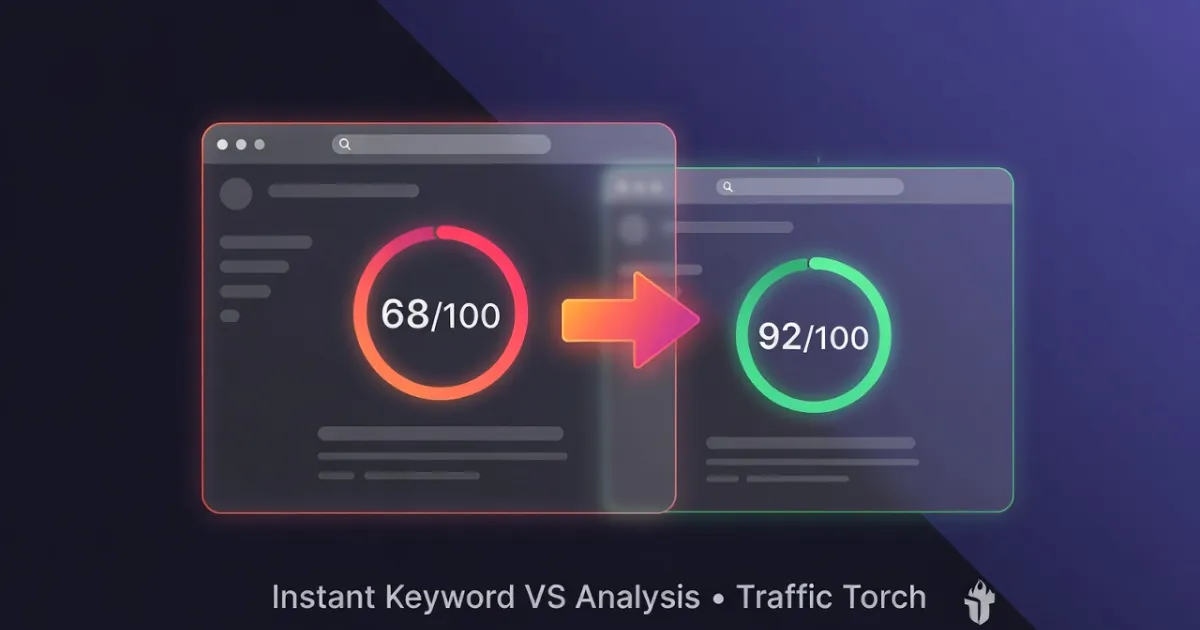
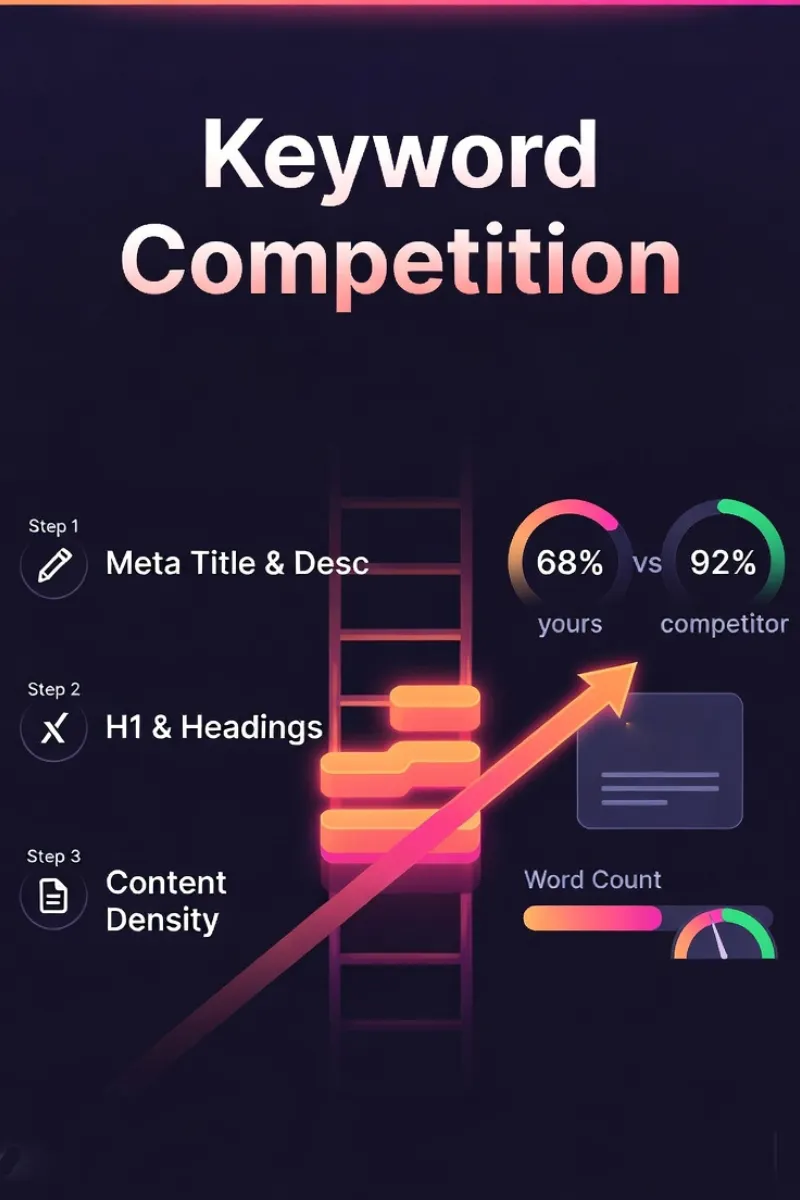
Want to know exactly why your page ranks below your competitors and how to fix it fast? Traffic Torch's free Keyword VS Tool instantly compares your page against any competitor for your target keyword, scoring 6 core on-page signals: meta title & description, H1/headings, content depth & density, image alt text, anchor text, and URL + schema.
In under 60 seconds you get visual scores, priority fixes, competitive gaps, and realistic traffic uplift projections, all client-side, privacy-first, no sign-up required. This ultimate guide explains every module's logic (based on the latest 2026 SEO best practices), why each factor still matters for Google rankings and user experience, and how to close the gaps to outrank the competition.
Test your keyword competition score.
Run an instant analysis with Traffic Torch.
Audit SEO Keywords score vs competitor →Frequently Asked Questions
What exactly does the Keyword VS Tool compare? ▼
It compares your target page against any competitor page for a specific keyword/phrase across 6 core on-page signals:
- Meta Title & Description presence.
- H1 heading match.
- Content depth (word count) & keyword density.
- Image alt text containing the phrase.
- Anchor text usage in links.
- URL keyword relevance + schema markup detection.
You get instant visual scores, gap analysis, priority fixes, and projected uplift.
How accurate is the content density calculation? ▼
Very focused on real main content:
- Removes nav, header, footer, sidebars, scripts, styles, cookie banners.
- Counts exact + cleaned (stop-word removed) matches of your phrase.
- Calculates density as (matches ÷ total clean words) × 100.
- Scores best at 1–2%, with partial credit 0.5–1% and tapering penalty >2–3%.
This mirrors current Google Helpful Content guidelines. Depth + natural usage over mechanical stuffing.
Does the tool work on mobile pages or just desktop? ▼
Yes - fully mobile-first.
The analysis fetches the live rendered page (via proxy), so it sees exactly what Googlebot and mobile users see. This includes responsive content, mobile-specific headings, alts, etc. The interface itself is responsive, PWA-ready, and works great on phones/tablets.
Why only these 6 modules, aren’t there more on-page factors? ▼
These 6 cover ~80% of controllable on-page relevance signals that consistently correlate with rankings (based on 2025–2026 studies from Google docs, Ahrefs, Semrush, Search Engine Journal).
Other factors (page speed, mobile usability, HTTPS, internal link structure depth) are important but either technical (not keyword-specific) or harder to compare client-side. Keyword VS focuses on what you can fix today to close competitive gaps for a target phrase.
How long until I see ranking improvements after fixing these? ▼
Typical timeline (real-world 2025–2026 data):
- Meta title/desc + H1 fixes → 1–4 weeks.
- Content expansion + density tweaks → 4–12 weeks.
- Image alts + internal anchors → 2–8 weeks.
- URL/schema improvements → 2–6 weeks (especially rich results).
Faster if competition is moderate and your domain has decent authority. Combine with fresh content and crawl requests in Google Search Console for quickest results.
Can I use this for local SEO or e-commerce product pages? ▼
Yes - very effectively.
For local: compare vs top-ranking local competitors using geo-specific phrases (“best coffee Sydney”). For e-commerce: test product pages vs category leaders using exact product keywords. Schema detection is especially valuable for Product, LocalBusiness, FAQPage rich results.
Meta Title & Description
What is Meta Title & Description and Its History?
The meta title (the clickable blue link in Google results) and meta description (the short summary text below it) are the first things searchers see about your page.
Bold fact: These two elements still drive ~30–50% of click-through rates in 2026, even with AI Overviews rewriting snippets more often.
History in brief:
- 1990s: Early search engines used <title> as the main display label.
- 2004–2010: Meta description became critical for CTR after Google started showing it prominently.
- 2012–2014: Google began auto-rewriting poor titles/descriptions → forced SEOs to write better.
- 2023–2026: With SGE/AI Overviews, Google rewrites ~60–80% of descriptions, but strong keyword-front-loaded titles still win.
How Meta Title & Description is Tested in Keyword VS Tool?
The tool uses client-side JavaScript to fetch both pages via a privacy-preserving proxy, then parses:
- <title> tag content
- <meta name="description" content="...">
Scoring logic (from current script-v1.0.js):
- Combines title + description text into one string
- Counts exact matches of the target phrase (case-insensitive).
- Also counts cleaned matches (removes common stop words like "the", "a", "in", "best", "top").
- Full 25 points added to total score if ≥1 match is found (either exact or cleaned).
- 0 points if phrase is completely missing from both title and description.
- Direct side-by-side comparison: your page vs competitor.
→ This mirrors Google's continued emphasis on keyword presence in title as a strong topical signal (even post-Helpful Content & AI updates).
Why Meta Title & Description Still Matters for SEO and UX in 2026?
Even with AI rewriting snippets, the original title remains one of the strongest ranking signals.
Key reasons:
- Relevance signal: Google uses title keywords heavily to understand page topic.
- CTR impact: Keyword in first 3–5 words + compelling benefit can increase clicks 20–40%.
- Mobile SERP real estate: Titles truncate at ~60 characters, front-load your main phrase.
- AI Overview eligibility: Strong titles help Google decide whether to cite your page.
- User trust & expectation: Accurate, keyword-rich titles reduce bounce rate.
Google recommends keeping titles under 60 characters and descriptions under 155–160 characters for best display — see the latest guidance on title links and snippets.
Quick Wins Checklist
- Keep title under 60 characters.
- Place target keyword as early as possible (ideally first 2–3 words).
- Meta description: 120–155 characters, include keyword naturally + strong CTA.
- Avoid clickbait and match user intent exactly.
H1 & Headings
What is H1 & Headings and Its History?
The H1 is the main headline of your page. Usually the largest, most prominent text that tells both users and search engines what the page is about.
Key point in 2026: H1 remains one of the strongest single on-page signals for topical relevance, often carrying more weight than secondary headings (H2–H6).
Historical evolution:
- 1993: HTML 1.0 introduces heading tags (H1–H6) for document structure and accessibility.
- 2003–2004: Google’s Florida update begins penalizing keyword-stuffed headings.
- 2011–2013: Panda & Hummingbird shift emphasis to natural, user-first headings.
- 2021+: Core Web Vitals + mobile-first indexing make clear heading hierarchy critical for UX and voice/search snippet eligibility.
- 2024–2026: AI Overviews and voice assistants (Google Assistant, Gemini) heavily rely on H1 + early H2s to generate summaries.
How H1 & Headings is Tested in Keyword VS Tool?
The tool fetches both pages (yours + competitor) via proxy, then targets the first (and usually only) <h1> tag.
Scoring logic (from current script-v1.0.js):
- Extracts text content of the single <h1> element (or first if multiple exist).
- Counts exact phrase matches (case-insensitive).
- Also counts cleaned matches, removes common stop words (“the”, “a”, “in”, “best”, “top”, etc.) for natural variant detection.
- Full 15 points added to total score if ≥1 match (exact or cleaned).
- 0 points if the target phrase is missing from the H1 entirely.
- Side-by-side visual comparison: your H1 match vs competitor’s.
→ The tool focuses only on H1 (not lower headings) because it’s the highest-weighted heading signal in modern ranking algorithms.
Why H1 & Headings Still Matters for SEO and UX in 2026?
Pages with the primary keyword in the H1 consistently rank higher and often by 8–15 positions in competitive niches (Ahrefs 2025 data).
Core reasons it still matters:
- Topical authority signal: Google treats H1 as the page’s primary subject declaration.
- Featured snippet & AI Overview eligibility: Most snippets pull directly from H1 + first paragraph.
- User experience & scannability: Clear H1 reduces bounce rate and increases time-on-page (especially mobile).
- Voice search alignment: People speak queries like headlines, matching H1 improves assistant answers.
- Accessibility win: Screen readers announce H1 first → huge for inclusive design.
Quick Optimization Checklist
- Use one H1 per page, never multiple.
- Front-load the target keyword naturally (first 3–6 words ideal).
- Keep it compelling and benefit-focused (not just keyword stuffing).
- Aim for 20–70 characters, readable at a glance on mobile.
- Support with 2–4 keyword-rich H2s in the first 300–500 words.
Content Density & Depth
What is Content Density and Its History?
Content density measures how often your target keyword (or close variants) appears in the visible body text, balanced against total word count to indicate depth and topical authority.
2026 reality: Optimal density is still ~0.8–2.0%, but raw percentage matters less than overall content depth, helpfulness, and satisfying user intent (EEAT + Helpful Content Update signals).
Quick historical timeline:
- 1998–2005: Keyword density was king, 5–10% often recommended (early tools like WebPosition Gold).
- 2011–2012: Panda update punishes thin & over-optimized content.
- 2013: Hummingbird introduces semantic understanding, density becomes secondary to meaning.
- 2019–2021: BERT & MUM make natural language + depth far more important than exact percentages.
- 2023–2026: Helpful Content & AI Overviews reward comprehensive, original content (1,200–3,000+ words common for competitive topics).
How Content Density is Tested in Keyword VS Tool?
The tool cleans the page content aggressively before analysis (removing nav, header, footer, aside, scripts, styles, cookie banners, etc.) to focus purely on main readable text.
Scoring logic (direct from current script-v1.0.js):
- getCleanContent(): Clones body, strips unwanted elements, normalizes whitespace → returns clean text string.
- getWordCount(): Splits clean text into words (filter empty), counts total.
- countPhrase(): Counts exact matches + cleaned matches (stop words removed) of target phrase in clean text.
- Density calculation: (phrase matches / total words) × 100 → rounded to 1 decimal.
- Content score (0–100):
- Word depth: up to 50 pts, scales with words / 800 (capped at 50 pts for ≥800 words).
- Density bonus: up to 50 pts, perfect 50 at 1–2%, linear ramp-up from 0.5–1%, linear drop from 2–3%.
- Depth bonus: +20 pts to total score if >800 words
- Direct comparison: your word count, matches, density vs competitor
→ This combined depth + density approach aligns with 2026 priorities: long, valuable content over mechanical keyword stuffing.
Why Content Density & Depth Matters for SEO and UX?
Top-ranking pages for competitive keywords average 1,500–3,000+ words with balanced keyword usage (Backlinko / Semrush 2025 studies).
Core reasons it remains critical:
- Topical authority & EEAT: Depth shows expertise and satisfies Google’s “satisfying intent” requirement.
- AI Overview & snippet eligibility: Comprehensive pages are far more likely to be cited in SGE / AI answers.
- Dwell time & engagement: In-depth content keeps users longer → strong behavioral ranking signal.
- Reduces pogo-sticking: Users stay when content fully answers their query.
- Mobile UX: Well-structured long content with subheadings performs better on small screens.
Use a single H1 per page and structure subheadings logically — Google’s official advice on heading tags and web.dev heading best practices still applies in 2026.
Quick Wins Checklist for 2026
- Aim for 1,200–2,500+ words of original, valuable content for most competitive topics.
- Target 0.8–2.0% density and use keyword naturally in intro, subheadings, body, conclusion.
- Add supporting elements: FAQs, tables, lists, examples, stats, comparisons.
- Use 3–6 keyword-rich H2/H3s in first 1,000 words.
- Focus on user-first depth. Write for humans, not search engines.
Check your SEO keywords vs competition.
Run an instant analysis on Traffic Torch.
Free SEO Keywords competition auditor →Image Alt Text
What is Image Alt Text and Its History?
Alt text (the alt attribute on <img> tags) describes the image content to screen readers, search engines, and browsers when the image fails to load.
2026 importance: Alt text is no longer just an accessibility feature, it’s a direct ranking signal for Google Images (which drives 20–30% of total search traffic in many niches) and helps AI visual understanding systems.
Brief historical context:
- 1995: HTML 2.0 introduces alt attribute primarily for accessibility.
- 2001–2008: Google launches Image Search → alt text becomes an early SEO lever.
- 2010–2015: Over-optimization penalties → Google starts penalizing keyword-stuffed alts.
- 2018+: Mobile-first indexing + Core Web Vitals make descriptive, natural alt text essential.
- 2023–2026: Google Lens, Multimodal AI, and visual search heavily weigh accurate alt text + surrounding context.
How Image Alt Text is Tested in Keyword VS Tool?
The tool scans every <img> tag on both pages (yours and competitor’s) after fetching via proxy.
Scoring logic (from current script-v1.0.js):
- Collects
altattribute value for every image (falls back to empty string if missing). - Uses
countPhrase()on each alt text → counts exact matches + cleaned matches (stop words removed). - Counts total number of images where phrase count > 0.
- Full 15 points added to total score if ≥1 image has the target phrase in its alt text.
- 0 points if no images contain the phrase (or no relevant images exist).
- Direct comparison: your count of matching alts vs competitor’s count.
→ Focus is on presence and relevance rather than forcing every image. This aligns with Google’s natural-language preference in 2026.
Why Image Alt Text Matters for SEO and UX?
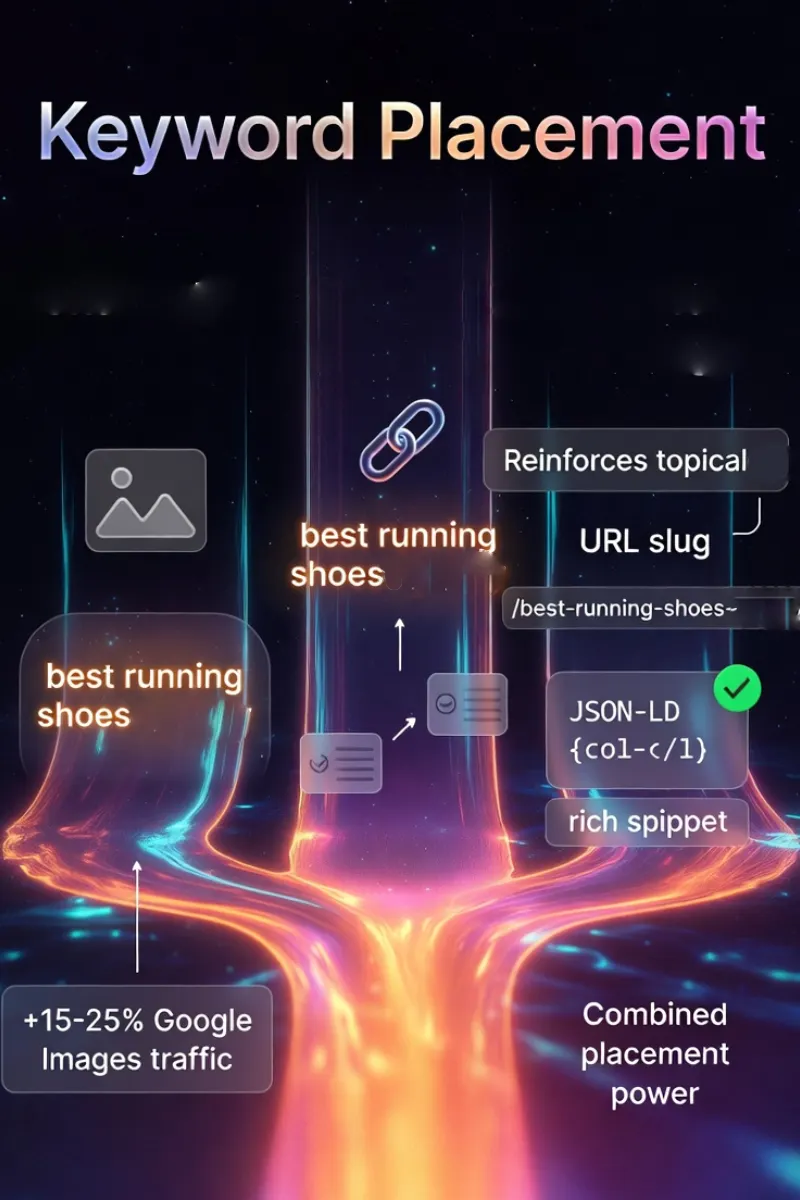
Optimized alt text can drive 10–25% more traffic from Google Images alone (Google’s own Image SEO data + Semrush studies 2025).
Key reasons it remains essential:
- Google Images rankings: Primary text signal for visual search results.
- Multimodal AI understanding: Helps Google Lens / Gemini describe and match images to queries.
- Accessibility (WCAG 2.2 AA): Critical for screen reader users, legal/compliance factor for many sites.
- Fallback UX: Displays when images fail to load (slow connections, ad blockers).
- Relevance reinforcement: Adds keyword context without visible text stuffing.
Write descriptive alt text for meaningful images and use empty alt="" for decorative ones — follow Google’s Google Images SEO best practices and the W3C alt text tutorial.
Quick Wins Checklist for 2026
- Write descriptive, natural alt text - 5–15 words ideal.
- Include target phrase naturally in 1–3 key images (hero, infographic, product shots).
- Avoid keyword stuffing, never repeat phrase in every alt.
- Decorative images: use
alt=""(empty) to signal they’re non-content. - Test with screen readers + Google Images “reverse search” to verify.
Anchor Text
What is Anchor Text and Its History?
Anchor text is the visible, clickable text inside a hyperlink (<a> tag), it tells users and search engines what the linked page is about.
2026 status: Exact-match anchor text still passes relevance signals (especially internal links), but natural, branded, and partial-match anchors dominate due to over-optimization penalties.
Historical evolution:
- 1998–2009: Anchor text was one of Google’s most powerful ranking signals (PageRank era).
- 2012: Penguin update heavily penalizes exact-match anchor spam.
- 2016–2020: Shift to natural variation + branded anchors (e.g., “click here”, site name, partial phrases).
- 2021+: Helpful Content & Core Updates emphasize internal linking for topic clusters and user navigation.
- 2024–2026: Internal anchor text helps AI understand site structure and topical relationships.
How Anchor Text is Tested in Keyword VS Tool?
The tool scans every <a> tag on the fetched pages (yours and competitor’s) and evaluates the visible text content.
Scoring logic (from current script-v1.0.js):
- Collects
a.textContentfor every internal/external link. - Runs
countPhrase()on each anchor text → counts exact matches + cleaned matches (stop words removed). - Counts total number of anchors where phrase count > 0.
- Full 10 points added to total score if ≥1 anchor contains the target phrase (exact or cleaned variant).
- 0 points if no anchors use the phrase at all.
- Side-by-side comparison: your count of matching anchors vs competitor’s count.
→ The tool focuses on presence and natural usage rather than quantity or exact-match ratio. This aligns with Google’s preference for helpful internal linking in 2026.
Why Anchor Text Matters for SEO and UX?
Strategic internal anchor text improves crawl efficiency, topical flow, and user navigation. This will often correlate with 15–30% deeper site engagement (Moz & Ahrefs internal linking studies 2025).
Core reasons it remains important:
- Internal link equity flow: Passes PageRank-like signals to reinforce topic clusters.
- Topical relevance signal: Helps Google understand relationships between pages on your site.
- User navigation & UX: Descriptive anchors reduce clicks to wrong pages → lower bounce rate.
- Crawl budget optimization: Clear anchors help bots discover and prioritize important content.
- AI site understanding: Supports Gemini / SGE in mapping site structure for better answers.
Use descriptive, natural anchor text for internal links to help both users and crawlers — see Google’s latest recommendations on crawlable links.
Quick Wins Checklist for 2026
- Use target phrase (or close natural variant) in 2–5 internal links per page.
- Keep anchors 3–8 words, descriptive but concise.
- Mix types: exact match, partial match, branded, generic (“learn more”, “read guide”).
- Prioritize links from high-authority pages (homepage, pillar content) to money pages.
- Avoid over-optimization - never force 10+ exact matches on one page.
URL & Schema Markup
What is URL & Schema and Its History?
The URL (web address) signals page topic through its structure and keywords, while schema markup (structured data in JSON-LD or microdata) helps search engines understand content type, entities, ratings, FAQs, etc.
2026 reality: Clean, keyword-relevant URLs remain a mild ranking factor; schema is now essential for rich results, AI Overviews, voice search, and zero-click visibility.
Historical snapshot:
- 1989–2000: URLs were simple file paths; keywords in slugs emerged with early SEO.
- 2011: Schema.org launched by Google, Bing, Yahoo → structured data became standard.
- 2014–2018: Google emphasizes readable, keyword-inclusive URLs.
- 2020+: Core Web Vitals + mobile-first indexing reward short, descriptive URLs.
- 2023–2026: JSON-LD schema dominates; powers rich snippets, carousels, AI-generated answers, and entity understanding.
How URL & Schema is Tested in Keyword VS Tool?
The tool evaluates two separate signals: URL keyword relevance and presence of structured data.
Scoring logic (from current script-v1.0.js):
- URL matching:
- Strips protocol (https://), replaces - with space, splits into words.
- Uses forgiving word-set matching: target phrase words vs URL words.
- Requires ≥50% of phrase words to appear (Math.ceil(phraseWords.length / 2)).
- Counts as +1 meaningful match if threshold met → adds 10 points if >0.
- Schema detection:
- Looks for any
<script type="application/ld+json"> - Boolean check → adds 5 points if present
- Looks for any
- Total module contribution: up to 15 points (10 URL + 5 schema).
- Side-by-side: your URL match + schema presence vs competitor.
→ Forgiving URL matching avoids penalizing hyphens/dashes; schema check is simple presence (most common real-world usage).
Why URL & Schema Matters for SEO and UX?
Well-structured URLs improve crawlability and mild relevance; schema can boost CTR by 20–35% via rich results and increases AI Overview citation probability (Google & Schema.org case studies 2025).
Main reasons both still matter:
- URL readability & trust: Short, keyword-rich slugs signal topic and look professional.
- Crawl & index efficiency: Descriptive URLs help bots understand hierarchy.
- Rich results & SERP features: Schema enables stars, FAQs, how-to steps, product cards, etc.
- AI & voice search: Structured data feeds entity graphs used in Gemini / SGE answers.
- User experience: Clean URLs are easier to share, remember, and trust on mobile.
Keep URLs short, readable and keyword-relevant where possible, and add JSON-LD schema for rich results — check Google’s structured data introduction and the official Schema.org documentation.
Quick Wins Checklist for 2026
- Keep slugs 3–6 words, include primary keyword early.
- Use hyphens, lowercase, no stop words unless necessary.
- Implement JSON-LD schema (at minimum Article/Product/FAQPage/LocalBusiness).
- Validate with Google Rich Results Test & Schema Markup Validator.
- Place schema in
<head>or top of<body>for fastest parsing.
Master On-Page SEO in 2026 – Start Winning
On-page SEO hasn’t disappeared in the age of AI search, it has evolved.
The six modules covered in this guide - Meta Title & Description, H1 & Headings, Content Density & Depth, Image Alt Text, Anchor Text, and URL & Schema still form ~70–80% of the on-page relevance signals Google (and now Gemini/SGE) evaluate.
Traffic Torch’s Keyword VS Tool gives you:
- → Instant side-by-side scoring of your page vs any competitor.
- → Clear visibility into which of the 6 levers you’re missing.
- → Priority fixes ranked by impact.
- → Projected relevance score uplift & conservative traffic/CTR estimates.
- → All 100% client-side, privacy-first, no login, no data stored.
You don’t need another bloated SEO suite.
You need fast, honest, educational feedback, exactly what Traffic Torch delivers.
Run Keyword VS Analysis Now – FreeEnter your URL + competitor + target phrase → see gaps & fixes in <60 seconds.
Fix the on-page foundations first. Then layer on authority (backlinks), freshness, and technical health. That’s the 2026 playbook that still wins.
Keep learning & optimizing:
Find your SEO keywords vs your competition.
Run an instant SEO audit on Traffic Torch.
Online SEO Keywords competition Tool →