
Traffic Torch SEO & UX Audit Guide
What really measures up in 2026 and beyond. How each factor is tested, why it still moves the needle for Google rankings and user experience, and the highest-impact fixes you can apply today.
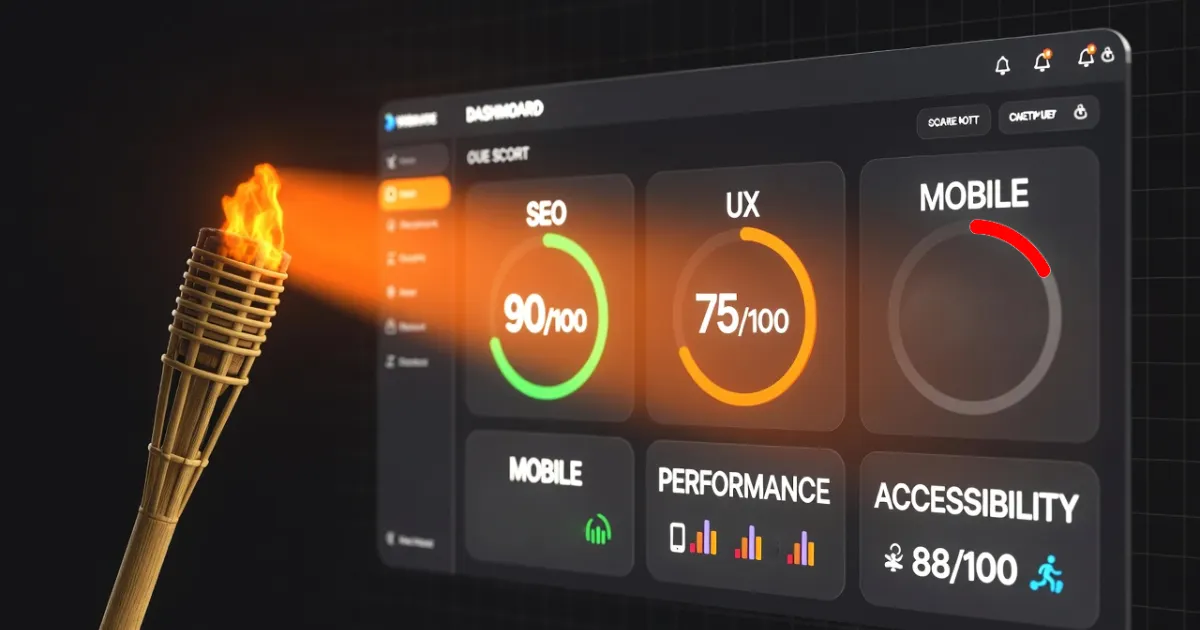
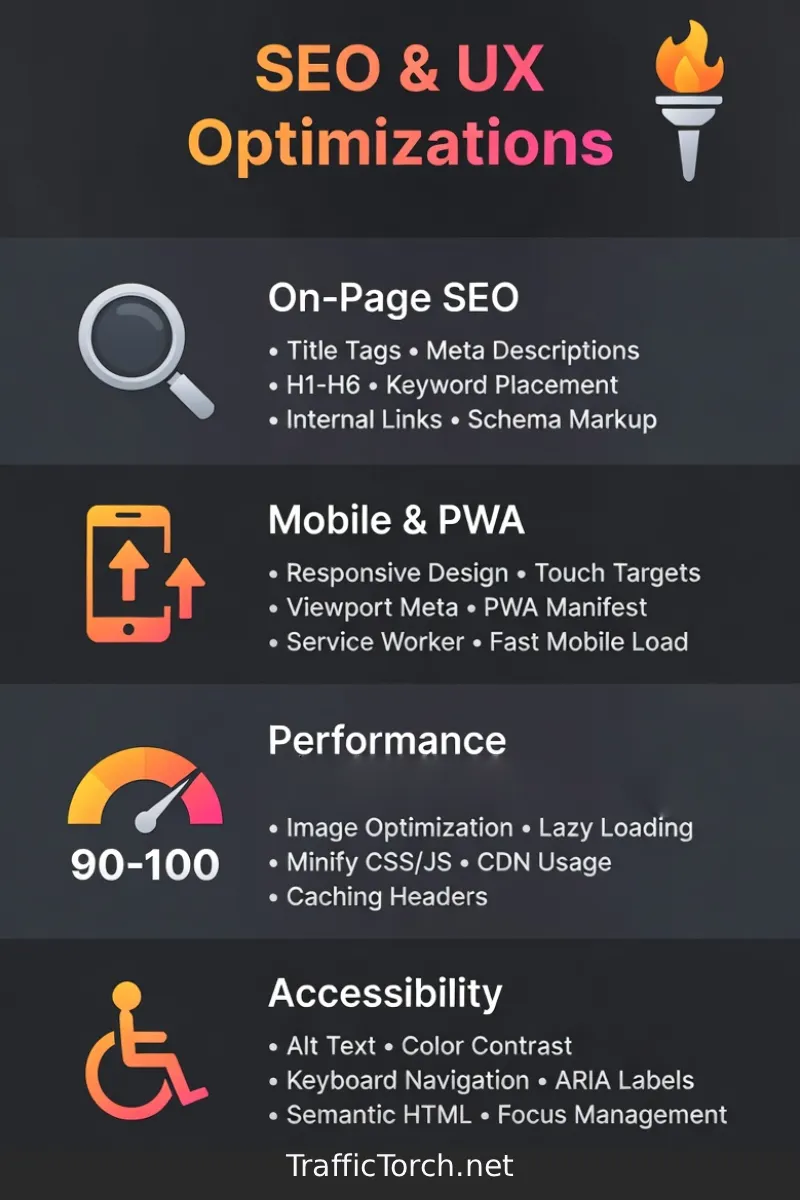
Google still rewards sites that deliver fast, accessible, relevant, and secure experiences, but the bar keeps rising. Modern SEO and UX audits go far beyond fast loading or mobile first websites. Traffic Torch SEO UX tool evaluates eight core pillars: on-page SEO signals, mobile & PWA readiness, performance, accessibility, content quality & structure, intuitive UX design, full HTTPS security and proper indexability.
This guide explains exactly what Traffic Torch measures in each area, how we test it, and why each factor influences rankings and conversions. If you're optimizing your own site, helping clients, or just want to understand why some pages rank and others don’t, you’ll finish this post with a clear, actionable roadmap.
Test your On-Page SEO and UX score in seconds.
Run an instant analysis with Traffic Torch. No signup. No tracking. Fully client-side analysis.
Free SEO + UX Audit Tool →Frequently Asked Questions About SEO & UX Audits in 2026
What are the most important ranking factors for SEO in 2026? ▼
Performance, mobile-first indexing, helpful content quality (E-E-A-T signals), HTTPS security, strong on-page elements (title, headings, schema), and user engagement metrics (low bounce rate, high dwell time) remain the biggest drivers. Tools like Traffic Torch score these in real time to show your site's exact health.
Does accessibility still affect SEO rankings in 2026? ▼
Yes — indirectly but significantly. Google treats accessibility as a quality signal. Accessible pages often have better semantic structure, descriptive content, and higher engagement from all users, which feeds stronger behavioral ranking signals. Traffic Torch flags missing alt text, lang attributes, landmarks, heading skips, and unlabeled forms to help you improve both accessibility and SEO.
Why is HTTPS still required even for informational pages with no forms? ▼
Modern browsers label HTTP pages as “Not Secure”, causing user distrust and higher bounce rates. HTTPS has been a confirmed ranking factor since 2014 and is now table stakes in 2026. It also enables PWA features and secure contexts. Traffic Torch penalizes full HTTP pages heavily and flags mixed content (http resources on https pages) that breaks functionality.
How often should I audit my site's SEO and UX? ▼
Run a full audit after major changes (redesigns, migrations, new content). For active sites, check monthly. Quarterly deep audits are usually enough for most businesses. Traffic Torch makes this instant and free. So there's no reason not to monitor regularly.
Can fixing one thing dramatically boost my rankings? ▼
Yes — especially technical blockers like accidental no index tags, full HTTP pages, or severe Performance issues. These can hide your page or tank rankings fast. For most sites, consistent improvements across multiple pillars (performance, content depth, mobile readiness, UX clarity) create the biggest compounding gains over time. Traffic Torch shows you priority fixes ranked by impact.
On-Page SEO
What is On-Page SEO?
On-Page SEO includes every optimization you control directly on the individual webpage to help search engines understand the topic, relevance, and value of the content. The main elements are the title tag, meta description, heading structure (H1 to H6), keyword usage in natural context, image alt attributes, internal links, and structured data (schema markup).
This area of SEO began with simple keyword placement in the late 1990s. It advanced significantly with Google's semantic shift via Hummingbird in 2013, intent understanding through RankBrain in 2015, and the strong focus on helpful, people-first content from updates that continued through 2025. In 2026 On-Page SEO is still a core direct ranking factor. It tells search engines exactly what the page offers and how well it matches user intent.
How it's tested
Traffic Torch parses the rendered HTML and evaluates these exact on-page elements in real time:
- Title tag exists, is unique, falls between 50–65 characters, and places the primary keyword early (ideally in the first 3–5 words).
- Meta description is present, unique, and sits in the ideal 120–158 character range for full display in SERPs.
- H1 heading is present, includes the target keyword or strong semantic match, and clearly states the page's main topic (only one H1 allowed).
- Structured data (JSON-LD preferred) is detected and valid for the page type (Article, WebPage, Product, FAQPage, etc.).
- Every meaningful (non-decorative) image has descriptive alt text that conveys purpose or content — decorative images use alt="".
Scoring starts at 0-100. The biggest point losses come from complete absences (no title, no meta description, no schema, missing alt text on many images). Graduated penalties apply for suboptimal length, keyword placement, or weak schema implementation.
SEO Impact
Strong on-page SEO remains one of the most direct ranking factors in 2026. Optimized titles, meta descriptions, headings, schema, and alt text help Google understand topic relevance, trigger rich results (star ratings, FAQs, image carousels), and improve click-through rates from SERPs.
UX & Business Impact
A keyword-rich, accurate title sets clear expectations before the click — reducing pogo-sticking. Compelling meta descriptions act like free ad copy in search results. Descriptive alt text improves accessibility for screen-reader users and boosts image search traffic. Together these elements lower bounce rates, increase time-on-page, and build user trust.
Google’s official SEO starter guide explains title tags, meta descriptions, headings, and structured data in detail. Read Google’s SEO Starter Guide →
Quick high-impact fixes for On-Page SEO
- Rewrite the title tag to start with the primary keyword. Keep it under 60 characters. Make it compelling for clicks.
- Create a unique meta description between 120 and 158 characters. Include the keyword naturally. End with a clear benefit or call-to-action.
- Align the H1 tag with the title and user intent. Use only one H1 per page.
- Add JSON-LD structured data for the main content type. Validate it with Google's Rich Results Test.
- Review every image. Write concise, descriptive alt text that helps both users and search engines. Avoid keyword stuffing.
Mobile & PWA
What is Mobile & PWA readiness?
Mobile & PWA readiness checks whether your website delivers a flawless experience on smartphones and tablets and whether it qualifies to be installed as a Progressive Web App. This includes responsive design foundations, viewport configuration, touch-friendly elements, and PWA features such as a web app manifest, installable icons, and service worker registration.
Mobile-first indexing became Google's default in 2019. By 2026 it is non-negotiable. Google crawls, indexes, and ranks primarily using the mobile version of every page. Progressive Web Apps gained mainstream traction around 2018–2020 and continue to grow in importance because they offer app-like experiences (offline support, home screen installation, push notifications) without requiring native app store distribution.
How it's tested
Traffic Torch performs these exact client-side checks on the rendered HTML and linked resources:
- A viewport meta tag is present in with content="width=device-width, initial-scale=1" (or equivalent responsive settings) to ensure proper mobile scaling.
- A web app manifest is linked via pointing to a valid manifest.json file.
- High-resolution homescreen icons are provided — minimum 192×192 pixels, ideally also 512×512, in PNG or WebP format (checked via manifest icons array and apple-touch-icon links).
- A service worker registration is detected — looks for navigator.serviceWorker.register() calls in inline or external JavaScript.
Scoring starts at 0-100. The heaviest penalties apply for missing viewport tag (breaks responsive layout) or absent manifest (prevents installability). Smaller deductions occur for missing larger icons or undetected service worker (detection can miss dynamic registrations in minified/obfuscated code).
SEO Impact
Google uses mobile-first indexing exclusively in 2026. Pages that fail mobile usability tests receive lower rankings across all devices. PWA features (manifest and service worker) improve perceived performance through caching and enable install prompts, increasing engagement signals that influence rankings indirectly.
UX & Business Impact
A proper viewport prevents awkward zooming and horizontal scrolling on phones. Installable PWAs let users add the site to their home screen for quick access like a native app. Service workers enable faster repeat visits and limited offline functionality. These improvements reduce frustration, lower bounce rates, and boost session duration significantly on mobile traffic (which dominates most sites in 2026).
Google recommends mobile-first indexing and PWA best practices for modern sites. See Web.dev’s Progressive Web Apps guide →
Quick high-impact fixes for Mobile & PWA
- Add or correct the viewport meta tag in the : . Place it early.
- Create a manifest.json file with name, short_name, icons (at least 192 and 512 pixels), start_url, display: standalone, and theme/background colors. Link it with
- Provide high-resolution PNG or WebP icons (192×192 and 512×512 minimum). Link them as apple-touch-icon and in the manifest.
- Register a service worker with a simple caching strategy (even a basic one improves repeat visits). Use
if ('serviceWorker' in navigator) { navigator.serviceWorker.register('/sw.js'); }in your main script. - Test installability with Chrome DevTools (Application tab → Manifest) and Lighthouse in incognito mode.
Performance
What is Performance regarding SEO and UX?
Performance measures how quickly and efficiently a page loads and becomes interactive for real users. Key factors include total page weight, number of requests, render-blocking resources, image optimization, font loading strategy.
Core Web Vitals became official ranking factors in 2021. By 2026 they remain critical because Google continues to prioritize real-user experience over lab data alone. Slow sites lose visitors quickly, increase bounce rates, and receive lower rankings in mobile-first indexing environments.
How it's tested
Traffic Torch analyzes the initial HTML payload and resource references with these exact client-side checks:
- HTML payload size (after minification and compression): Ideally under 120 KB to avoid bloating the initial download.
- Render-blocking resources count: Focuses on external CSS files in and synchronous (non-defer/async) JavaScript; flags when >6 as they delay First Contentful Paint.
- External font requests: Counts how many font families are loaded (Google Fonts or similar); penalizes >3 as they cause FOIT/FOUT and delay text rendering.
- Page weight contributors: Detects excessive inline styles, large inline scripts, or unoptimized markup that inflates the HTML and slows parsing/rendering.
Scoring starts at 0-100. Deductions are severity-based: heavy penalties for >12 render-blocking resources or very large payloads (>200 KB), medium for 7–12 render-blocking or 4+ fonts, and smaller for suboptimal font handling (no font-display: swap or preload).
SEO Impact
Webpage performance remains a direct ranking signals in Google's algorithm. Fast loading speeds improve mobile-first indexing priority, crawl efficiency, and page experience score. Poor performance can cause higher bounce rates and lower dwell time, both strong negative indirect signals. Optimized pages also reduce server load and support better mobile rankings.
UX & Business Impact
Quick-loading pages keep visitors engaged, each extra second increases bounce probability significantly on mobile. Optimized performance reduces frustration, supports longer sessions, lowers cart abandonment, and improves conversion rates. These engagement metrics feed back into Google's quality evaluation and build user trust.
Google’s Core Web Vitals documentation is the official source for performance thresholds and optimization. Read Google’s Core Web Vitals guide →
Quick high-impact fixes for Performance
- Minify HTML, CSS, and JavaScript. Remove unused code and whitespace. Use tools like HTMLMinifier or build-step processors.
- Inline critical above-the-fold CSS and defer non-critical CSS with or async loading.
- Add defer or async attributes to non-critical script tags. Move them to the end of when possible.
- Limit web fonts to 1–2 families. Apply font-display: swap. Preload important font files with .
- Compress images to WebP or AVIF format. Implement lazy loading with loading="lazy" on below-the-fold images.
Accessibility
What is Webpage Accessibility?
Accessibility ensures that a website can be used effectively by everyone, including people with visual, auditory, motor, or cognitive impairments. Core checks cover meaningful alt text for images, proper semantic HTML structure (headings, landmarks, lists), form field labeling, sufficient color contrast, keyboard navigation, and language declaration.
Accessibility standards evolved from WCAG 1.0 in 1999 to WCAG 2.1 (2018) and WCAG 2.2 (2023). In 2026 Google increasingly treats strong accessibility as a quality signal. Poor accessibility can lead to legal risks under laws such as the ADA and EU Accessibility Act while also harming user trust and reach.
How it's tested
Traffic Torch scans the parsed DOM and runs these exact automated checks against WCAG guidelines:
- All images have appropriate alt attributes: Descriptive for content images (convey purpose/content), empty alt="" for purely decorative ones.
- The root html element includes a valid lang attribute: E.g. lang="en" or lang="en-AU" for correct language processing by screen readers and browsers.
- A main landmark exists: Either a main tag or role="main" on the primary content container to help assistive tech jump to core content.
- Heading order is logical without skips: Checks sequential hierarchy (H1 → H2 → H3 etc.) and flags jumps like H1 to H3 without H2.
- Form controls (visible inputs, textareas, selects) have programmatically associated labels: Via for/id pairing, wrapping label, aria-label, or aria-labelledby (placeholders alone do not count).
Scoring starts at 0-100. Deductions scale with violation count and severity: heaviest penalties for missing alt text on many images, absent lang attribute, or no main landmark (breaks core screen reader navigation). Medium penalties for skipped heading levels or unlabeled form fields.
SEO Impact
Google has stated since 2020 that accessibility improvements often align with better SEO. In 2026 it serves as an indirect quality signal. Accessible sites tend to have cleaner semantic structure, more descriptive content, and higher engagement from all users — leading to stronger behavioral metrics (lower bounce, higher dwell time) that influence rankings.
UX & Business Impact
Good accessibility broadens your audience to include the 15–20% of people with disabilities worldwide. Keyboard navigation and screen reader support make the site usable without a mouse or sight. Proper contrast, labels, and landmarks reduce cognitive load for everyone — lowering frustration, increasing time on site, improving conversions, and building trust across all visitors.
Web.dev’s accessibility fundamentals cover WCAG-based checks like alt text, landmarks, and headings. Explore Web.dev Accessibility fundamentals →
Quick high-impact fixes for Accessibility
- Add descriptive alt text to every meaningful image. Use alt="" for purely decorative images.
- Set the correct language on the root element: html lang="en"> or your site's primary language.
- Wrap main content in a main tag or add role="main" to the primary container.
- Ensure headings follow a logical hierarchy. Avoid skipping levels (no H1 to H3 without H2).
- Associate every visible form field with a label (use for/id pairs, wrapping labels, or ARIA attributes). Avoid relying on placeholders alone.
Find your SEO score in seconds.
Run a free instant audit with Traffic Torch.
Check your SEO + UX Analysis →Content Quality
What is Content Quality?
Content Quality evaluates how well the page satisfies user intent through depth, readability, structure, originality, and scannability. It looks at word count, sentence and paragraph length, Flesch readability score, heading usage, list and table presence, and overall helpfulness of the information provided.
Content evaluation shifted dramatically after Google's Helpful Content Update (2022 onward) and continued emphasis on E-E-A-T (Experience, Expertise, Authoritativeness, Trustworthiness) through 2025–2026. In 2026 shallow or poorly structured content is heavily demoted. High-quality content ranks better because it keeps users engaged and answers questions comprehensively.
How it's tested
Traffic Torch extracts the visible body text and runs these exact client-side checks:
- Main content word count: Flags thin content if under 300 words (heavier penalty if under 100 words) as it often fails to satisfy user intent.
- Readability via Flesch reading ease score: Calculated from average sentence length and syllable count per word; penalizes scores below 60 (hard to read on mobile).
- Heading structure: Checks for sufficient H2/H3 usage (ideally every 300–400 words) and logical hierarchy without skips.
- Scannability elements: Detects presence of bulleted/numbered lists and tables; flags long-form pages (>500 words) without them as harder to digest.
- Complexity indicators: Measures average sentence length and syllable density to catch excessive complexity that hurts mobile reading and comprehension.
Scoring starts at 0-100. Significant penalties apply for thin content (<300 words) or very low readability (Flesch <60). Smaller deductions occur for insufficient headings, no lists/tables on longer pages, or overly complex language.
SEO Impact
In 2026 Google prioritizes content that demonstrates real value and satisfies search intent. High-quality, well-structured pages earn more featured snippets, People Also Ask placements, and higher dwell time. These engagement signals strengthen topical authority and help pages rank for broader keyword clusters.
UX & Business Impact
Scannable content with short paragraphs, headings, and lists lets users find answers quickly on mobile. Readable language reduces cognitive effort. Comprehensive yet focused depth builds trust and encourages shares and return visits. Poor content drives immediate exits and hurts conversion rates.
Google’s guidance on creating helpful, reliable, people-first content is the benchmark for quality evaluation. Read Google’s People-First Content guide →
Quick high-impact fixes for Content Quality
- Expand thin pages to at least 800–1200 words for competitive topics while staying focused on user intent.
- Shorten average sentence length to 15–20 words. Use active voice and common words to improve Flesch score above 60.
- Add descriptive H2 and H3 headings every 300–400 words to create clear sections and improve scannability.
- Convert key points, steps, comparisons, or features into bulleted/numbered lists. Use tables for data-heavy sections.
- Remove fluff. Focus on original insights, examples, data, or unique angles that genuinely help the reader.
UX Design
What is UX Design?
UX Design assesses how intuitive, clear, and goal-oriented the page feels to visitors. It examines primary call-to-action prominence, navigation clarity, visual hierarchy, link density, mobile touch targets, and overall flow that guides users toward desired actions without confusion or friction.
User experience signals gained ranking weight after Google's page experience update (2021) and remain important in 2026. UX design focuses on behavioral outcomes: whether users understand what to do next, stay engaged, and complete goals. Poor UX increases bounce rates and reduces conversions even on fast pages.
How it's tested
Traffic Torch evaluates interactive and structural elements with these exact client-side checks:
- Number of visible interactive elements (links, buttons, submit inputs, role="button"): Flags when >80 as it creates choice overload and decision paralysis.
- Primary calls-to-action prominence: Checks contrast ratio, button size, and placement (ideally above the fold or in clear visual hierarchy) to ensure they stand out.
- Breadcrumb navigation presence: Required on deeper pages (>2000 words or multi-level hierarchy) to show users their location and reduce disorientation.
- Link density and spacing: Penalizes excessive competing links/buttons or poor touch target spacing that overwhelms users or causes mis-taps on mobile.
Scoring starts at 0-100. Larger penalties apply to excessive interactive elements (>80) or missing breadcrumbs on complex/long pages. Smaller deductions occur for suboptimal CTA visibility, cluttered layouts, or insufficient spacing that increases friction.
SEO Impact
In 2026 Google uses aggregated user behavior signals (bounce rate, dwell time, pogo-sticking, conversion proxies) as quality indicators. Clean, intuitive UX improves these metrics and demonstrates the page satisfies searchers. Well-designed pages also earn more shares and backlinks naturally, boosting indirect ranking signals.
UX & Business Impact
Clear visual hierarchy and focused CTAs help visitors complete tasks faster with less confusion. Reduced cognitive load prevents frustration. Breadcrumbs on deep pages orient users within the site structure. These improvements increase satisfaction, session depth, goal completion rates, and conversions across desktop and mobile visitors.
Google emphasizes page experience signals including visual hierarchy, navigation, and user engagement. See Google’s Page Experience overview →
Quick high-impact fixes for UX Design
- Reduce visible links and buttons to 1–3 primary CTAs per section. Use strong contrast, large touch targets (minimum 44×44 pixels), and action-oriented text.
- Highlight the most important call-to-action with color, size, and placement above the fold when it matches user intent.
- Add breadcrumb navigation on pages deeper than the homepage: Home > Category > Subcategory > Current Page.
- Group related actions together. Move secondary links to footer, sidebar, or dropdown menus to avoid clutter.
- Test mobile flow with real devices. Ensure tap targets do not overlap and text remains readable without zooming.
Security
What is Website Security?
Security verifies that the page is served over a valid HTTPS connection and contains no mixed content issues. This includes checking the protocol of the main URL, all embedded resources (images, scripts, stylesheets, iframes), and the presence of a valid SSL/TLS certificate without warnings.
HTTPS became a ranking signal in 2014. By 2026 it is a baseline expectation. Browsers display "Not Secure" warnings on HTTP pages. Mixed content on HTTPS sites blocks resources and triggers warnings. These issues damage trust, increase bounce rates, and negatively affect rankings and user retention.
How it's tested
Traffic Torch inspects the protocol and all resource URLs with these exact client-side checks:
- The main page URL uses https:// (not http://): Flags full HTTP pages as insecure.
- No mixed content: Scans all embedded resources (images src, scripts src, link href, iframes, fonts) for http:// when the main page is https://.
- No insecure redirects or certificate errors: Checks the initial load context for broken HTTPS chains or invalid certificates (via browser-reported status).
Scoring starts at 0-100. The largest penalty applies to missing HTTPS (full HTTP protocol). Additional deductions trigger for any mixed content (breaks secure context, blocks features like service workers). Smaller penalties occur for redirect issues or certificate warnings that degrade trust signals.
SEO Impact
Google has confirmed HTTPS as a ranking factor since 2014. In 2026 pages without HTTPS are deprioritized in search results. Secure sites support progressive features (PWA, secure cookies, payment requests) that improve engagement metrics and indirectly boost rankings.
UX & Business Impact
HTTPS removes the scary "Not Secure" label in browser address bars. It protects user data from interception. Eliminating mixed content prevents broken images, blocked scripts, and console errors. These changes build visitor confidence, reduce immediate exits, and support trust-dependent actions such as form submissions or purchases.
Google recommends HTTPS everywhere and explains mixed content issues in their security guidelines. Read Google’s HTTPS and security guide →
Quick high-impact fixes for Security
- Install a free SSL/TLS certificate through Let's Encrypt, Cloudflare, or your host. Redirect all HTTP traffic to HTTPS with a 301 permanent redirect.
- Update every resource URL in the HTML to use https:// or relative paths (// or /). Search for http:// in the source code and replace it.
- Fix mixed content warnings in browser console. Replace any remaining http:// links in scripts, images, iframes, or third-party embeds.
- Enable HTTP Strict Transport Security (HSTS) with a header: Strict-Transport-Security: max-age=31536000; includeSubDomains; preload.
- Test the site with SSL Labs (ssllabs.com) or Why No Padlock? to confirm a clean A+ grade and no mixed content.
Indexability
What is Webpage Indexability?
Indexability confirms that search engines are allowed and technically able to include the page in their search results. It checks for the absence of blocking directives (no index meta tags, robots.txt disallows), the presence of a preferred canonical URL, and other crawl directives that could prevent visibility in organic search.
Indexability has been a core requirement since search engines began. In 2026 it remains essential because even perfectly optimized pages are invisible if they carry a no index tag or lack a canonical signal. Google may also choose not to index thin, duplicate, or low-value pages even without explicit blocks.
How it's tested
Traffic Torch parses the
section and meta tags with these exact client-side checks:- No meta name="robots" tag contains "no index" (checked case-insensitive in content attribute): Flags any no index directive that hides the page from search results.
- A canonical link tag exists () and points to the preferred/preferred URL version: Verifies self-referencing or correct consolidation.
- No other obvious blocking directives: Notes that client-side analysis cannot fully detect server-side x-robots-tag headers or robots.txt disallows, but flags potential issues in visible HTML.
Scoring starts at 0-100. The heaviest penalty applies to a present no index directive (explicitly removes page from search). Deductions trigger for missing canonical tag (risks duplicate content confusion and split authority). Smaller penalties apply to ambiguous or incomplete signals that could affect crawlability.
SEO Impact
A page that cannot be indexed receives zero organic traffic from search engines. In 2026 correct canonical tags consolidate ranking signals across similar URLs (parameterized, mobile/desktop, www/non-www variations). Removing accidental no index tags is one of the fastest ways to recover lost visibility after site migrations, staging errors, or plugin misconfigurations.
UX & Business Impact
Indexability has no direct effect on visitors who already reach the page. However it determines whether the page can be discovered organically through search in the first place. Properly indexed pages reach far more users via Google. This indirectly improves overall site reach, brand exposure, and traffic potential without any on-page UX change.
Google’s robots meta tag and canonical URL documentation covers no index, canonical, and crawl control. See Google’s Robots meta tag & canonical guide →
Quick high-impact fixes for Indexability
- Remove any tag from production pages unless the page is intentionally private.
- Add a self-referencing canonical tag in the : . Use the exact preferred URL.
- Check robots.txt (via yoursite.com/robots.txt) to ensure the page path is not disallowed for User-agent: * or Googlebot.
- After fixes request indexing in Google Search Console using the URL Inspection tool.
- Audit staging, development, or parameter URLs to prevent accidental indexing of duplicates.
Final Thoughts: Your Path to Better SEO & UX in 2026 and Beyond
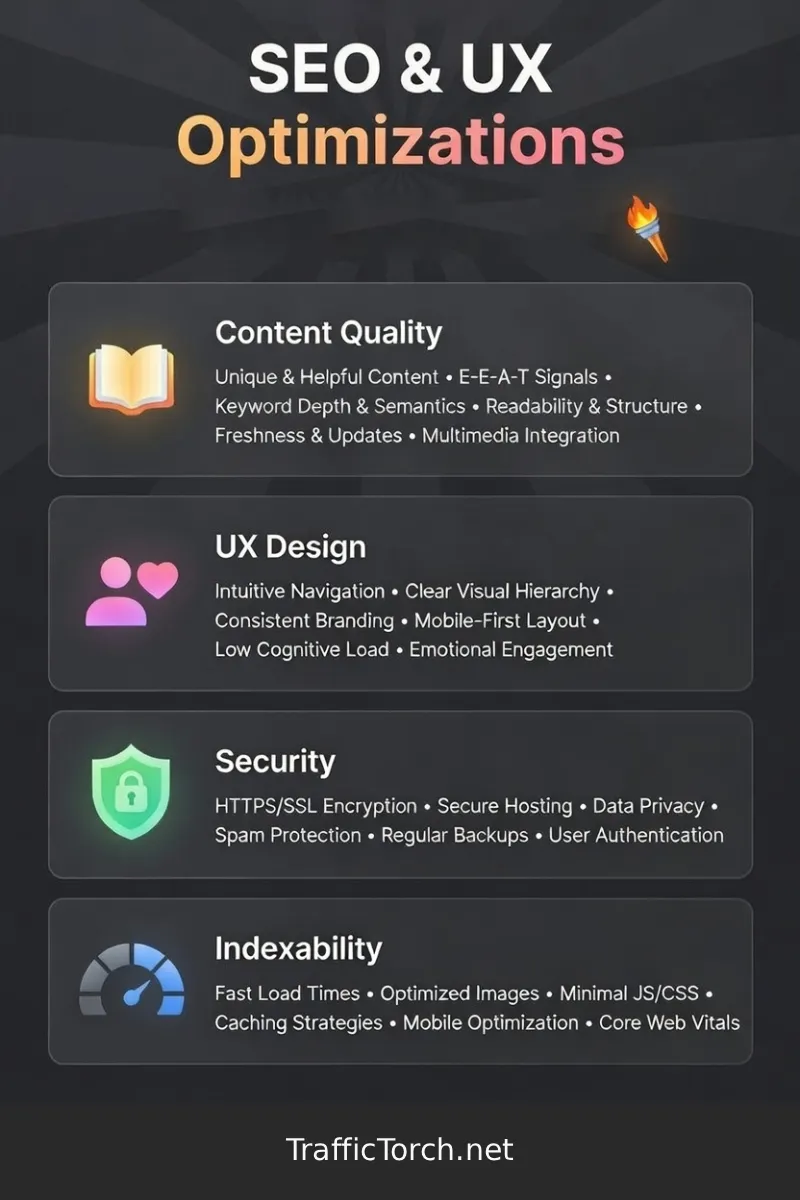
The eight pillars covered in this guide — On-Page SEO, Mobile & PWA, Performance, Accessibility, Content Quality, UX Design, Security, and Indexability — form the foundation of what modern search engines and real users reward. In 2026 Google continues to blend technical excellence with genuine user satisfaction. Sites that score highly across these areas consistently achieve better rankings, lower bounce rates, higher conversions, and stronger brand trust.
No single fix transforms everything overnight. Start with the highest-impact items: fix HTTPS and no index issues first (they can hide your pages completely), then tackle Performance and mobile readiness (direct ranking factors), and finally refine content and on-page elements for long-term authority.
The beauty of these audits lies in actionability. Each pillar gives you clear, testable signals and practical steps. Regular checks help you catch regressions early and stay ahead as algorithms evolve.
Ready to see your site's real health score?
Run your free instant 360° SEO + UX audit today. Results appear in seconds. No login. No tracking. Fully client-side and privacy-first.
Audit your SEO & UX here →Bookmark this guide. Revisit it after major site changes or quarterly. Consistent improvement across these pillars builds compounding gains in traffic, rankings, and user loyalty.