
NUSA Tool Help Guide – Quit Risk, Lighthouse Plus & AEO Performance
How the NUSA tool works, what each of its three scores actually measures, and how to turn your results into a prioritized fix list.
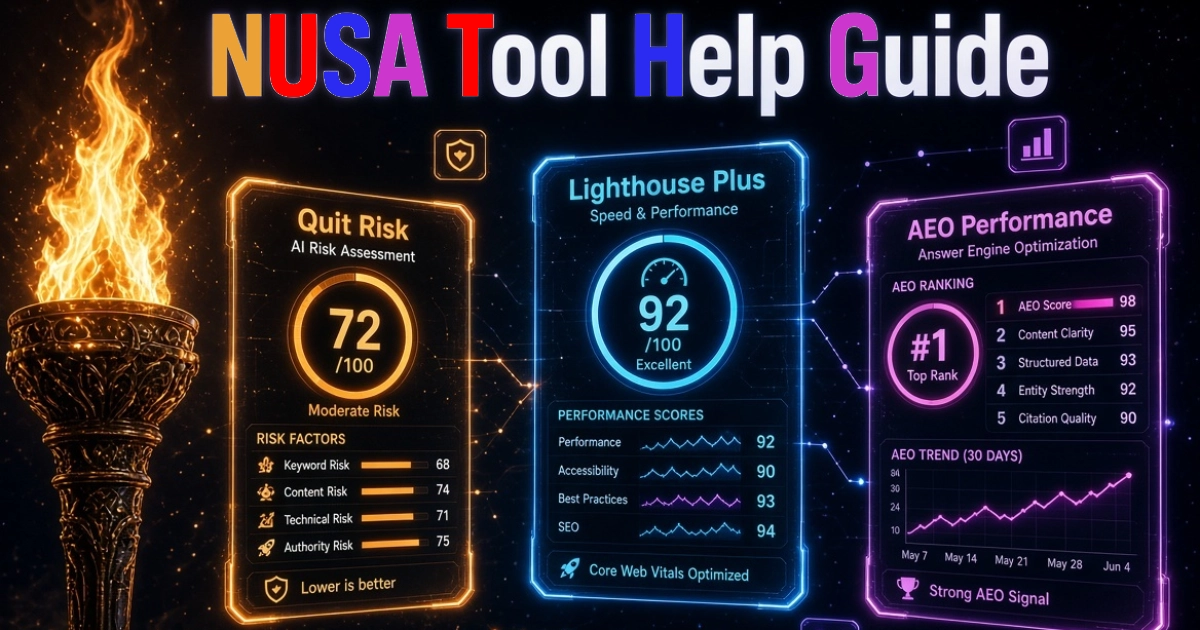
NUSA is a free, browser‑based audit tool. Enter one URL and it runs three separate audits on that page at the same time: Quit Risk, Lighthouse Plus, and AEO Performance. You get three 0–100 scores, a breakdown of the metrics behind each one, and plain‑English fixes.
This guide is about the tool itself: what each pillar measures, how to read the results, and how to move the numbers that matter. It's not a dashboard tutorial – it's a field manual for getting real value out of a NUSA scan.
Ready to score a page?
Paste any URL and get Quit Risk, Lighthouse Plus, and AEO Performance scores in one scan.
Free • Client‑side • No data stored.
1. What is NUSA?
NUSA is Traffic Torch's three‑in‑one audit tool. One URL in, three scores out. Each score comes from a dedicated audit that has its own standalone tool page, but NUSA runs all three at once so you don't have to switch tabs.
The three audits answer three different questions about the same page:
- Quit Risk – “Will real users stay, or will they bounce?”
- Lighthouse Plus – “Does the page perform well for humans and for agents?”
- AEO Performance – “Can AI crawlers read, parse, and quote this page?”
Everything runs in your browser. Nothing about the page, the URL, or the results is sent to a server unless you explicitly save it to your account.
2. The Three Pillars
Each pillar is a self‑contained audit with its own scoring model, its own metric list, and its own fix recommendations. Here's what each one covers at a glance.
Quit Risk
UX friction audit and bounce prediction. Looks at tap targets, reading flow, CTA clarity, layout stability, and other signals that predict abandonment.
Lighthouse Plus
Performance, Accessibility, Core Web Vitals, PWA readiness, and agent‑readiness. A superset of vanilla Lighthouse.
AEO Performance
AI crawler render fidelity, schema parsing, and content extractability. Tests whether AI search engines can actually use the page.
Because the three audits measure different things, it's normal for a page to score well on one pillar and badly on another. That's the point of NUSA – it separates “looks fine” from “actually works.”
3. How to Run a NUSA Audit
There are three ways to start a NUSA scan.
From the NUSA page
- Open
traffictorch.net/. - Paste the URL you want to audit into the input field.
- Click Analyze NUSA. All three audits start immediately.
From any pillar tool page
If you only care about one pillar, use the standalone page for Quit Risk, Lighthouse Plus, or AEO Performance. Same engine, single score.
From the browser extension
With the Traffic Torch extension installed, click the toolbar icon on any page you're already viewing and pick NUSA. The URL is filled in automatically.
Typical run time
Most NUSA scans finish in 10–30 seconds. The exact time depends on page size, the number of external resources it requests, and your connection speed. The three audits run in parallel – you're not waiting three times as long.
4. Understanding Your Scores
Each pillar returns a score between 0 and 100. Below the score you get a grade emoji, a short rating, and a list of the individual metrics that fed into the number. Each metric is marked with one of three states:
- ✅ Pass – the page meets the standard. No action needed.
- ⚠️ Average – the page is in the middle of the pack. Worth improving when you have time.
- ❌ Fail – the page is missing something that actively hurts the metric. Fix these first.
What the score bands mean
| Band | Score | What it usually means |
|---|---|---|
| Excellent | 90–100 | Page is in the top tier for this pillar. Maintain, don't overhaul. |
| Good | 70–89 | Solid, but there are one or two obvious weak spots worth tightening. |
| Needs work | 50–69 | Real friction, real cost. A short sprint on the ❌ items will lift the score. |
| Critical | 0–49 | Something structural is broken or missing. Fix the ❌ items before doing anything else. |
Below each score you'll also see a “Full Results →” link. That takes you to the standalone pillar tool page, where you can see the underlying data and ask the AI for targeted fixes.
5. Quit Risk – UX Friction & Bounce Prediction
Quit Risk measures the things that make a real visitor leave. It's not a checklist of “best practices” – it's a prediction of how likely the page is to lose someone before they take the action you wanted.
What it looks at
- Tap target size and spacing – anything under 44×44 CSS pixels is a friction point on mobile.
- Reading flow and paragraph density – long, unbroken blocks of text predict drop‑off.
- CTA clarity – is the primary action obvious, above the fold, and unambiguous?
- Layout stability – content shifting during load makes users feel the page is unreliable.
- Distraction signals – intrusive interstitials, auto‑playing media, and overlapping elements.
- Form friction – number of fields, required fields, and error‑message quality.
When to prioritize Quit Risk
Prioritize Quit Risk when you have traffic but low conversion, high bounce, or short session duration. The score tells you whether the problem is the page itself rather than the source of the traffic.
6. Lighthouse Plus – Performance, Accessibility & Agent Readiness
Lighthouse Plus is a superset of vanilla Lighthouse. It keeps the classic signal categories and adds checks that matter in 2026: agent‑readiness, machine‑readability, and PWA behaviour.
What it looks at
- Core Web Vitals – LCP, INP, and CLS, treated as hard signals rather than soft heuristics.
- Accessibility – WCAG 2.2 AA contrast, landmarks, focus order, and ARIA usage.
- Best practices – HTTPS, safe third‑party usage, and image aspect ratios.
- SEO basics – title length, meta description, crawlability, and canonical signals.
- PWA readiness – manifest validity, service worker presence, and installability.
- Agent‑readiness – semantic HTML, structured data, and machine‑readable navigation.
When to prioritize Lighthouse Plus
Prioritize Lighthouse Plus when you want the page to feel fast and accessible to every visitor, and to be legible to the crawlers and agents that now sit in front of your audience. This is the pillar to fix before you start tuning content.
7. AEO Performance – AI Crawler Readiness
AEO Performance tests whether AI search engines and answer engines can actually use your page. That means: can they render it, can they parse it, and can they extract the parts that are quotable?
What it looks at
- Render fidelity – does the page's content survive when JavaScript is limited or delayed?
- Schema parsing – validity of JSON‑LD, required properties, and how easily crawlers can interpret the types.
- Content extractability – are the important claims in semantic HTML, or buried in images and widgets?
- Answerability signals – clear definitions, direct answers in the first screen, and question‑shaped headings.
- CMS readiness – whether the platform you're on (WordPress, Shopify, Wix, Framer, etc.) supports the recommended fixes.
When to prioritize AEO Performance
Prioritize AEO Performance when you want your content to be cited by Perplexity, ChatGPT Search, Gemini, and Grok, or when you notice AI answers summarizing your topic without referencing your page. This pillar tells you which technical blockers are preventing citation.
8. Ask Traffic Torch AI for NUSA
After a NUSA scan you can ask the AI about any of the three pillars. It reads the current audit results and gives you fixes in plain English.
Good questions to ask
- “My Quit Risk score is 58 – what are the three fastest things I can fix?”
- “Why is my Lighthouse Plus accessibility score low on this page?”
- “Which of the AEO Performance failures is blocking AI crawlers the most?”
- “Give me a WordPress plugin shortlist for the Lighthouse Plus failures.”
- “Rewrite this H2 to be more answerable for AI search.”
What the AI knows
- The three NUSA scores and every metric state from the current scan.
- The URL and the page context that produced those scores.
- It does not have access to your personal data, other tabs, or your browsing history.
9. From Scores to Fixes: A Prioritized Action Plan
Don't try to fix everything at once. NUSA tells you which pillar is costing you the most. Work in this order.
Step 1 – Fix Lighthouse Plus fails
Performance, accessibility, and Core Web Vitals issues contaminate every other signal. If LCP is slow or contrast fails WCAG, fix those before touching content.
Step 2 – Fix AEO Performance fails
Once the page is technically sound, make sure AI crawlers can render, parse, and quote it. Schema errors, JS‑dependent content, and missing answer blocks are the usual culprits.
Step 3 – Tune Quit Risk
With the technical foundation in place, work on the UX friction items that remain. Tap targets, paragraph length, CTA clarity, and layout stability are the highest‑leverage fixes.
Step 4 – Re‑run and compare
Re‑run NUSA on the same URL after each fix cycle. Scores should move in a predictable direction. If they don't, ask the AI what changed – it can usually pinpoint the regression.
How often to re‑scan
Run NUSA after every significant template, design, or content change, and at least once a month on your top landing pages. Core Web Vitals, tap‑target behavior, and AI crawler support shift over time – a monthly baseline catches drift early.
10. Frequently Asked Questions
What is the NUSA tool? ▼
NUSA is a free, browser‑based audit tool that runs three audits on any URL at the same time: Quit Risk (UX friction and bounce prediction), Lighthouse Plus (performance, accessibility, Core Web Vitals and agent‑readiness), and AEO Performance (AI crawler render fidelity, schema parsing and content extractability). You get three 0–100 scores, module breakdowns, and plain‑English fixes in one view.
How is NUSA different from OFUX? ▼
OFUX focuses on findability: UX Health, SEO Intent and AI Search answerability. NUSA focuses on what happens once someone lands on the page and once an AI crawler arrives: UX friction and bounce risk (Quit Risk), hard performance and accessibility metrics (Lighthouse Plus), and AI crawler readiness (AEO Performance). They're complementary: OFUX tells you whether your page can be found, NUSA tells you whether it survives the visit and the crawl.
Do I need an account to run a NUSA audit? ▼
No. The NUSA tool runs client‑side in your browser and works without an account. Creating a free account simply unlocks audit history, cloud sync, and higher daily limits.
How long does a NUSA audit take? ▼
Most NUSA audits finish in 10–30 seconds. The exact time depends on the page size, the number of external resources it loads, and your connection speed. All three audits run in parallel, so you're not waiting three times as long.
Can I run just one of the three NUSA audits? ▼
Yes. Each pillar – Quit Risk, Lighthouse Plus, and AEO Performance – also has its own standalone tool page. The NUSA dashboard simply runs all three at once so you get the full picture in one scan.
Is my data safe when using NUSA? ▼
Yes. NUSA audits run client‑side – the page content is never sent to our servers. Nothing about your URL, your HTML, or the results is stored unless you choose to save it to your account. We never sell or share your data.
How often should I run NUSA? ▼
Run NUSA after every significant template, design, or content change, and at least once a month on your top landing pages. Because Core Web Vitals, tap‑target behavior, and AI crawler support change over time, monthly baselines help you catch regressions early.
Start Scoring
The fastest way to learn NUSA is to run it on a page you already know. Pick a landing page, a product page, or your homepage. Compare the three scores. Then start with the pillar that has the lowest number and the most ❌ items.
Fix one thing at a time. Re‑run the audit. Watch which number moves. That loop – scan, fix, rescan – is the whole method.